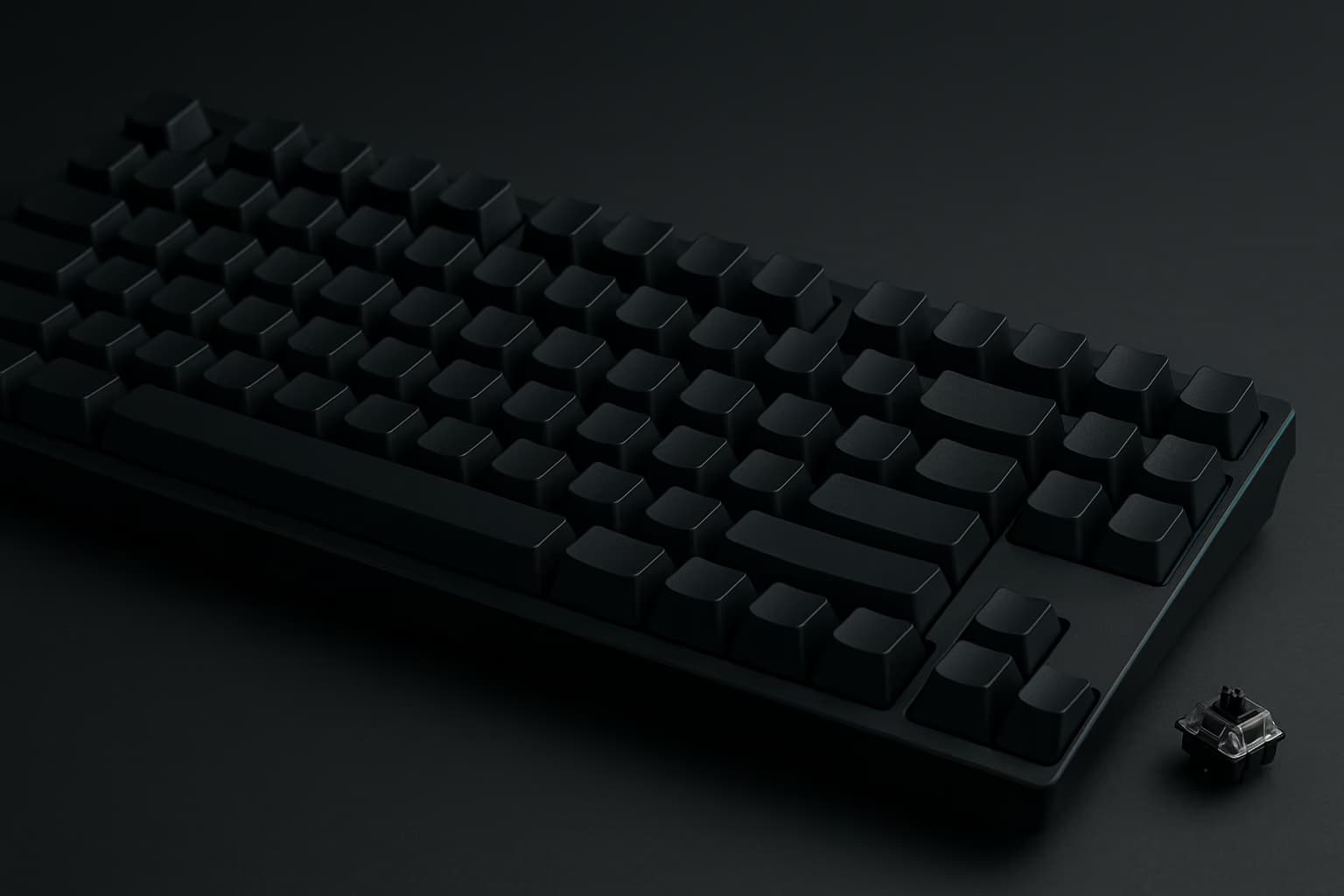
A gaming keyboard decides how fast your hands reach the game, and in 2026 the choice starts with the switch. Hall-effect magnetic switches now run from a $39.99 Redragon to a $160.00 enthusiast board, while the two best all-round picks here still use mechanical switches.
The April edition of this list needed more than a date change. Its full-size hall-effect pick is now marked discontinued by Corsair, its best-overall Wooting has been replaced by a successor on preorder, and its under-$50 board is sold out on Redragon's own store, so it has been rebuilt for October.
Every number here is the maker's, not ours: the switch, the actuation range, the polling rate and the price come from each US store page, linked in the entry and captured on October 7, 2026. Keyboard prices swing with sales every week, which is why each figure carries that date.
What is the best gaming keyboard in 2026? The Razer BlackWidow V4 Pro 75% is our best gaming keyboard overall for October 2026: a hot-swappable wireless board with Orange Tactile switches, Bluetooth and an OLED display, at $249.99 on Razer's store. For esports, the Logitech G PRO X TKL RAPID brings magnetic-analog rapid trigger for $142.48, and the Keychron K2 HE puts hall-effect and wireless together for $103.99.
Hall-Effect Or Mechanical: The First Decision
Five of the eight picks use magnetic hall-effect switches, and three use mechanical switches. The split is not about price, since both kinds appear above and below $150.
Here's what each side gives you:
- Hall-effect reads depth. A magnet and a sensor measure how far the key is pressed, which is what makes rapid trigger and adjustable actuation possible. Redragon, Keychron, Luminkey and Corsair all quote adjustable actuation points on their pages.
- Mechanical is about feel. The Razer and the ASUS use hot-swappable mechanical switches with gasket or tape-enhanced mounting, which is why they lead the typing half of the list.
- Analog is the esports variant. Logitech's RAPID and Wooting's boards read the whole key travel, so a single key can act as a joystick or fire at a hair trigger.
That's why the list opens with a mechanical all-rounder and then moves through the magnetic boards by job.
The October List At A Glance
The table puts switch, layout and connection next to the price so the trade-offs show at a glance. Sale prices are what each store showed, with the regular price in the entry.
| # | Keyboard | Layout | Switches | Connection | Price, October 7 | Best for |
|---|---|---|---|---|---|---|
| 1 | Razer BlackWidow V4 Pro 75% | 75% | Mechanical, hot-swap | Wireless, Bluetooth, wired | $249.99 | Best overall |
| 2 | Logitech G PRO X TKL RAPID | TKL | Magnetic-analog | Wired | $142.48 | Esports |
| 3 | Keychron K2 HE | 75% | Magnetic, hot-swap | 2.4 GHz, Bluetooth, wired | $103.99 | Budget hall-effect |
| 4 | ASUS ROG Azoth X | 75% | Mechanical, hot-swap | 2.4 GHz, Bluetooth, wired | $161.99 | Typing and gaming |
| 5 | Corsair K70 PRO TKL | TKL | Magnetic | Wired | $139.99 | Hall-effect TKL |
| 6 | Luminkey Magger68 HE Plus | 65% | Magnetic | Wired | $160.00 | Small-maker pick |
| 7 | 8BitDo Retro Mechanical Keyboard | 87-key TKL | Mechanical, hot-swap | Bluetooth, 2.4 GHz, wired | from $99.99 | Looks |
| 8 | Redragon K631 HE | 65% | Magnetic | Wired | $39.99 | Under $50 |
Source: each maker's US store page, captured on October 7, 2026. TKL means tenkeyless, a layout without the number pad; 75% and 65% boards are smaller still.
Is a hall-effect keyboard worth it for gaming? For shooters and rhythm games, yes, because rapid trigger resets a key the instant you ease off and adjustable actuation sets how far a press travels before it counts. On this list that starts at $39.99 with the Redragon K631 HE and reaches $160.00 with the Luminkey Magger68 HE Plus, a $120 spread for the same core feature.
How We Picked These
Nobody here typed on these boards for a week, and the page does not pretend otherwise. Each entry rests on the maker's own store page or product listing, so the switch, the actuation range and the price are the maker's claims, quoted with their date.
First, every keyboard had to clear three bars:
- In stock from its maker. Each pick showed a live add-to-cart button on its maker's US store the day we captured it, which is why the entries don't repeat the point. That bar moved Wooting to the bonus and dropped the old Redragon.
- A named switch type. Every pick carries a switch type on the maker's page, whether magnetic, analog or mechanical, so the entry can say what you are actually pressing.
- One job each. No two picks compete for the same buyer, from esports rapid trigger to a retro desk piece, and one slot was held for a small maker with a following.
From there, the order weighs how much of a gaming and typing setup a board covers against its price. The two cheapest picks sit last because they give up wireless or build, and the small-maker pick sits sixth because it is wired and sold mostly direct.
How did we pick these gaming keyboards? Every keyboard on our October list was in stock on its maker's US store when we checked, carries a named switch type on the maker's page, and fills a different job from esports rapid trigger to a retro desk piece. The order weighs what a board does for gaming and typing against its store price, using the makers' own figures.
The Best Gaming Keyboards To Buy In October 2026
Each entry leads with the switch and the price, then says who should buy it.
1. Razer BlackWidow V4 Pro 75%: Best Overall
The BlackWidow V4 Pro 75% is our best overall pick because it does everything the rest of this list splits up: a hot-swappable mechanical board with Razer's Orange Tactile Gen-3 switches, HyperSpeed wireless with HyperPolling, Bluetooth, a Command Dial and an OLED display. It moves up from the April list now that the Wooting is on preorder.
That said, the build is the quieter half of the case: double-shot PBT keycaps, a tape-enhanced PCB with hot-swap sockets and a 4,200 mAh battery rated for up to 2,100 hours with power saving. Buying from Razer directly carries up to 2 years of warranty.
Its store price was $249.99, down 16% from $299.99, which makes it the most expensive keyboard here. For the money you get the full set of wireless, hot-swap sockets, an OLED and the dial, where the K2 HE skips the display and the Azoth X needs an add-on for 8,000 Hz.
Buy it if you want one wireless gaming keyboard that types well and games well, and you would rather not pick a lane.
2. Logitech G PRO X TKL RAPID: Best For Esports
For esports, the PRO X TKL RAPID takes over from last edition's wireless PRO X TKL. Logitech lists magnetic-analog switches with rapid trigger, adjustable actuation and on-the-fly configuration, with 35 g actuation.
What's more, it is wired on purpose. Analog boards earn their keep on rapid trigger timing, and a cable removes one variable from a tournament setup.
Logitech had $47.51 off the $189.99 regular price, to $142.48, ready to ship. If you need wireless, Logitech's own PRO X TKL is covered in the wireless section below.
Buy it if you play shooters competitively and want rapid trigger on a tenkeyless board from a brand with tournament pedigree.
3. Keychron K2 HE: Best Budget Hall-Effect
The K2 HE is the least expensive way onto a wireless hall-effect board here. Keychron specifies Gateron double-rail magnetic Nebula switches with rapid trigger and actuation adjustable from 0.2 to 3.8 mm, on a 75% layout.
It is also the only wireless hall-effect pick, and Keychron puts a battery figure on the page: 4,000 mAh, up to 110 hours. It runs 2.4 GHz wireless, Bluetooth for up to three devices, or wired, at a 1,000 Hz polling rate.
Keychron's standard version sat $26 under its $129.99 regular price, at $103.99. It sits one place below the RAPID because the Logitech reads full analog travel and comes from a tournament line, while the Keychron's edge is wireless and price.
Buy it if you want hall-effect and wireless for around $100 and can live with a 75% layout.
4. ASUS ROG Azoth X: Best Premium Typing And Gaming
The Azoth X is the pick for people who type as much as they game. ASUS bills it as a 75% custom keyboard with hot-swappable ROG NX mechanical switches V2, a metal top cover, gasket mount and five-layer dampening foam.
As for connections, it runs tri-mode: Bluetooth for up to three devices, 2.4 GHz with ROG SpeedNova, or wired. An OLED display, a three-way control knob and a wrist rest round it out.
ASUS was running the deepest cut on the page, $161.99 against a $269.99 regular price. Note that 8,000 Hz polling needs ASUS's optional Polling Rate Booster, so out of the box it is a typing board first.
Buy it if you want a premium mechanical feel for long writing sessions and still game on it at night.
5. Corsair K70 PRO TKL: Best Hall-Effect TKL
Against the RAPID, the K70 PRO TKL costs $2.49 less and adds a wrist rest. It replaces the K70 MAX from the April list, which Corsair now marks discontinued, and Corsair's spec table shows MGX Hyperdrive magnetic switches on hall-effect sensors, rapid trigger and 8,000 Hz hyper-polling.
What's more, the Corsair extras carry over: an aluminum top plate, double-shot keycaps in ABS or PBT by color, and a magnetic detachable wrist rest. The warranty is 2 years.
Corsair had taken $30 off, to $139.99 from $169.99. The Logitech keeps the tournament pedigree, so the choice is pedigree against a wrist rest and a few dollars.
Buy it if you want hall-effect speed on a wired tenkeyless with a wrist rest in the box.
6. Luminkey Magger68 HE Plus: Best From A Small Maker
This is the small-maker pick, sold direct in three colors. Luminkey quotes a 65% magnetic gaming keyboard with hall-effect switches, adjustable actuation, rapid trigger, SOCD cleaning and 8,000 Hz polling, with 0.125 ms latency over USB-C.
Plus, the case is machined from 6063 aluminum, which is where the money goes. Luminkey offers a 1-year warranty and 30-day returns.
Luminkey's store had all three colors, Ano-Champagne Gold, Ano-Black and E-Cold White, at $160.00, in stock and ready to ship. A second small-maker board is covered after the list.
Buy it if you want an enthusiast aluminum hall-effect board and are fine with a wired 65% layout.
7. 8BitDo Retro Mechanical Keyboard: Best Aesthetic Pick
The 8BitDo Retro Mechanical Keyboard stays on the list for the same reason as in April: nothing else here looks like it. The N and Fami editions borrow their colors from the consoles of the 1980s, and 8BitDo's spec sheet adds two programmable Dual Super Buttons.
In addition, under the shell it is a proper board: 87 keys with N-key rollover, an aluminum plate and a hot-swappable PCB, with Bluetooth, 2.4 GHz wireless and wired modes. The Fami and N editions get Kailh Box White V2 switches and dye-sub PBT keycaps, and 8BitDo says the other three editions use different switches and keycaps without naming them.
8BitDo's store has the N, Fami, M and Clear Blue editions at $99.99 and the C64 edition at $109.99, all available.
Buy it if you want a retro desk piece that types like a modern mechanical board.
8. Redragon K631 HE: Best Under $50
The under-$50 slot changes hands, because Redragon's own store had the old K552 sold out. The K631 HE is the better story anyway: a hall-effect magnetic board with rapid trigger and an actuation point adjustable from 0.1 to 4.0 mm, for $39.99.
Note that Redragon claims native 8,000 Hz hyper-polling over a detachable USB-A to USB-C cable, plus two actions on one key by actuation pressure, which it calls 2 Actions In 1 Tap. The Corsair K70 PRO TKL charges $139.99 for the same pair of features.
Redragon's store had it at $39.99, which makes it the best budget gaming keyboard on this list. For less than a set of keycaps you get the switch technology of the boards above it.
Buy it if you want hall-effect and rapid trigger for the least money and don't need wireless.
Bonus: Wooting 80HE+, On Preorder
Wooting is the small Dutch company whose 80HE topped our April list, and the Wooting 80HE+ is its replacement. Its page promises true 8,000 Hz polling, actuation adjustable from 0.1 to 4.0 mm, an 80% tenkeyless layout, a silicone gasket mount and a 4-year warranty with 2 years on the LEDs.
It sits outside the ranked eight for one reason: Wooting's listing showed the 80HE+ on preorder when we checked, and the company sells direct. The original 80HE remains on Wooting's site at $199.99 but showed backorder the same day.
However, if you can wait for the shipment, it belongs on the shortlist with the RAPID. Wooting's warranty alone is the longest on this page.
Also Worth Knowing: Wobkey Rainy 75 Pro
Luminkey took the small-maker slot, but the Wobkey Rainy 75 Pro deserves a line for anyone who types more than they game. Wobkey's listing gives CNC aluminum, a tempered glass back panel, tri-mode connectivity, a 7,000 mAh battery and Foggy Linear switches, at $169.99 and in stock.
It is a mechanical board, so it does not bring rapid trigger. In short, choose the Luminkey for shooters and the Rainy 75 Pro for a desk you look at all day.
Which Layout Should You Buy?
Before you choose by looks, count the keys you use, because a 75% board keeps the arrow and function keys while a 65% board drops the function row, and only a full-size board keeps the number pad. None of the eight is full-size.
By layout, the list breaks down like this:
- Tenkeyless. The RAPID at $142.48, the K70 PRO TKL at $139.99 and the 8BitDo from $99.99 keep the function row and the arrow cluster.
- 75%. The BlackWidow V4 Pro 75% at $249.99, the K2 HE at $103.99 and the Azoth X at $161.99 keep the arrows and function keys in a tighter frame.
- 65%. The Magger68 HE Plus at $160.00 and the K631 HE at $39.99 drop the function row for the smallest desks.
Keep in mind that 75% is the safe middle, and the K2 HE is our best budget hall-effect pick in that size.
Which keyboard layout is best for gaming? For most desks, 75% or tenkeyless, because both keep the arrow keys and the function row that games and chat use, and our picks start at $103.99 for the 75% Keychron K2 HE and $139.99 for the tenkeyless Corsair K70 PRO TKL. Go 65% only if desk space wins over the function row.
Do You Need A Wireless Gaming Keyboard?
Only if the cable is in the way. Four of the eight are wired, and the two esports-leaning magnetic boards from Logitech and Corsair are wired by design, while the Razer, Keychron, ASUS and 8BitDo offer 2.4 GHz and Bluetooth.
Keep in mind that battery claims depend on how each maker measures, so weigh them lightly. Razer quotes up to 2,100 hours with power saving on a 4,200 mAh battery, and Keychron up to 110 hours on 4,000 mAh.
If the RAPID's cable is the dealbreaker, Logitech's wireless mechanical PRO X TKL was $159.99 against a $219.99 regular price, ready to ship.
What Changed Since April
First, here's what happened to the April edition's eight picks.
| April pick | October status | Why |
|---|---|---|
| Wooting 80HE | Moved to the bonus | Wooting has replaced it with the 80HE+, which was on preorder when we checked |
| Razer BlackWidow V4 Pro 75% | Stays, now No. 1 | In stock at $249.99 on Razer's store |
| Keychron K2 HE | Stays, No. 3 | In stock at $103.99 on Keychron's store |
| Logitech G Pro X TKL Lightspeed | Replaced by the PRO X TKL RAPID | On sale at $159.99; the analog RAPID takes the esports slot |
| ASUS ROG Azoth | Replaced by the Azoth X | On sale at $162.99; the X adds V2 switches and the metal top cover |
| Corsair K70 Max | Dropped | Corsair's page now marks it discontinued |
| 8BitDo Retro Mechanical (NES Edition) | Stays, No. 7 | In stock from $99.99 on 8BitDo's store |
| Redragon K552 | Replaced by the K631 HE | Sold out on Redragon's store at $44.99; the K631 HE brings hall-effect for $39.99 |
Next, four boards are new to the list: the Logitech RAPID, the Corsair K70 PRO TKL, the Luminkey Magger68 HE Plus and the Redragon K631 HE. The Luminkey fills a slot that did not exist in April, reserved for a small maker.
The list isn't fixed. A new switch generation, a sell-out or a price cut big enough to reorder the eight will bring a new edition.
Frequently Asked Questions
Short answers to the questions the entries raise, using the makers' figures.
What is rapid trigger?
A hall-effect feature that resets a key the moment you start to release it, instead of waiting for it to pass a fixed point. Redragon, Keychron, Luminkey, Corsair and Logitech all offer it, and Wooting's page describes the same idea on the 80HE+.
Are hot-swappable switches worth having?
They let you change switches without soldering. The Razer, Keychron, ASUS and 8BitDo picks are hot-swappable, which means a board you buy for gaming can be re-switched for typing later.
Which keyboard here has the longest warranty?
Wooting, at 4 years with 2 on the LEDs, which is one reason it earns the bonus slot even on preorder. Among the ranked eight, Razer states up to 2 years when you buy direct, Corsair 2 years and Luminkey 1 year, and the other five do not state a term on the listings we captured.
Why is the Luminkey ranked sixth if it is the enthusiast pick?
Because it is wired, 65% and sold mostly direct, which narrows who it suits. On switch technology and build it competes with anything above it, and at $160.00 it is $89.99 under the Razer and $1.99 under the ASUS's sale price.
Are these prices current?
They are what each maker's US store showed on October 7, 2026, sale prices included. Keyboard sales rotate weekly, so open the product page before you order.
How often is this list updated?
When a new switch generation, a sell-out or a price cut changes the order. This October edition replaced an April list that had a discontinued Corsair and a sold-out Redragon on it.
Where To Start
If you want hall-effect and wireless for about $100, the Keychron K2 HE at $103.99 is the easy call, and the PRO X TKL RAPID at $142.48 is the step up when shooters are the point. If one board has to do everything, the BlackWidow V4 Pro 75% sets the bar for the rest of this list.
And if $39.99 is the budget, the Redragon K631 HE gets you rapid trigger today.
Pick the switch first and the layout second, and the price follows.
A keyboard is half of the input story, so pair it with our gaming mice and mousepads guides and put it in front of one of our gaming monitors. Headset shoppers have their own gaming headsets list, and console players will find more in our gaming controllers roundup.
Long sessions are easier on a proper gaming desk and in one of our best gaming chairs.