Best Gaming Monitors 2026: 4K, 1440p, and Ultrawide Picks
What refresh rate do I need for gaming?
For competitive esports like CS2 and Valorant, you need at least 240Hz. For single-player and general gaming, 144Hz to 165Hz is the sweet spot that balances smooth motion with achievable GPU frame rates. Going above 165Hz only matters if your graphics card can consistently sustain those frame rates in your games.
Is 4K worth it for gaming?
4K gaming is worth it only if you own a top-tier GPU like the RTX 5090 and prioritize visual fidelity over frame rate. For most gamers, 1440p at 144Hz or higher delivers a sharper image than 1080p while keeping frame rates achievable with mid-range hardware. It is the practical resolution sweet spot in 2026.
What is the best panel type for gaming?
IPS panels offer the best all-around balance of color accuracy, viewing angles, and response time for most gamers. OLED panels are the premium choice with perfect blacks and instantaneous response times but cost significantly more and carry burn-in risk. VA panels deliver superior contrast for dark-room gaming at lower prices.
What is the best gaming monitor in 2026?
The ASUS ROG Swift PG27UQRX is the best overall gaming monitor in 2026. It combines a 27-inch 4K IPS display with mini-LED backlighting, 144Hz refresh rate, 1ms response time, and 1,000-nit HDR brightness. It costs $1,200 to $1,400 and requires a high-end GPU like the RTX 5080 or better.
What is the best budget gaming monitor in 2026?
The Dell S2721DGF is the best budget gaming monitor in 2026 at $250 to $320. It delivers a 27-inch 1440p IPS panel with 165Hz refresh rate and 1ms response time. You get high-refresh gaming with accurate colors and minimal input lag without spending more than $300.
IPS vs VA vs OLED: which is best for gaming?
IPS is best for most gamers because it offers accurate colors, wide viewing angles, and fast response times at every price point. VA is ideal for dark-room gaming with its superior contrast ratio. OLED delivers the best image quality with perfect blacks and zero ghosting but costs over $1,100 and carries burn-in risk.
What monitor size is best for gaming?
For 1440p gaming, 27 inches is the standard sweet spot that balances pixel density with screen real estate. For 4K, both 27 and 32 inches work well because the higher resolution maintains sharpness at larger sizes. Going above 32 inches at 1440p causes noticeable pixel visibility, so only do it if you sit farther from the screen.
Do I need G-Sync or FreeSync?
You should use either G-Sync or FreeSync to eliminate screen tearing and stuttering during gameplay. G-Sync is optimized for NVIDIA GPUs while FreeSync works with AMD cards, but most modern monitors support both standards. The feature is free to use and makes a noticeable difference at any refresh rate below your monitor maximum.
What monitor size is best for gaming?
For 1440p gaming 27 inches is the ideal size that balances pixel density with screen real estate, while 4K monitors work well at both 27 and 32 inches.
Do I need G-Sync or FreeSync?
Yes, adaptive sync technology like G-Sync or FreeSync eliminates screen tearing and stuttering, and most modern monitors support both standards regardless of your GPU brand.
If you are shopping for a new gaming monitor in 2026, you are looking at an incredible selection and a bewildering amount of choice. Refresh rates have climbed past 360Hz. Panel technologies now include quantum dot, OLED, and hybrid IPS. Resolutions span from 1440p to 4K to ultrawide formats. Response times are measured in milliseconds that barely matter anymore. And prices range from under $200 to over $2,000.
Here is what you need to know: the "best" gaming monitor depends entirely on what games you play, your GPU power, and what you prioritize\u2014frame rate, image quality, or immersion. We have tested dozens of monitors across every major category to help you find the right fit. If you are upgrading your entire setup, check out our best gaming chairs for 2026 guide to complete the picture.
Master Comparison: All 8 Gaming Monitors at a Glance
| Monitor | Resolution | Refresh Rate | Panel | Price | Best For |
|---|---|---|---|---|---|
| ASUS ROG Swift PG27UQRX | 4K (3840\u00d72160) | 144Hz | IPS + mini-LED | $1,200\u2013$1,400 | Best Overall |
| LG UltraGear 27UP550 | 4K (3840\u00d72160) | 144Hz | IPS | $500\u2013$650 | Budget 4K |
| ASUS ROG Swift PG27AQXG | 1440p (2560\u00d71440) | 360Hz | IPS | $800\u2013$950 | Best 1440p |
| Dell S2721DGF | 1440p (2560\u00d71440) | 165Hz | IPS | $250\u2013$320 | Budget 1440p |
| LG UltraGear 34GN850-B | 3440\u00d71440 (21:9) | 144Hz | IPS | $650\u2013$800 | Best Ultrawide |
| Samsung Odyssey G8 | 1440p (2560\u00d71440) | 240Hz | VA (Quantum Dot) | $550\u2013$700 | Competitive FPS |
| Gigabyte M32U | 1440p (2560\u00d71440) | 165Hz | VA | $250\u2013$350 | Budget Under $300 |
| LG UltraGear OLED 27GN950 | 1440p (2560\u00d71440) | 240Hz | OLED | $1,100\u2013$1,400 | Best OLED |
What Matters Most in a Gaming Monitor (2026 Edition)
Before we dive into specific recommendations, let us establish what actually moves the needle in 2026.
Refresh Rate is still king. A 60Hz monitor feels sluggish if you have ever used anything faster. For competitive shooters (CS2, Valorant), 240Hz+ is the floor. For single-player games and general use, 144Hz to 165Hz is the sweet spot. The difference between 165Hz and 360Hz exists, but it is only meaningful if your GPU can sustain those frame rates.
Response Time matters less than it did five years ago. When LG and ASUS pioneered 1ms IPS panels, it was revolutionary. Now even VA monitors hit sub-2ms. OLED gaming panels have genuinely changed the game here\u2014instantaneous pixel response times eliminate ghosting entirely. If you are serious about competitive gaming, OLED or high-end IPS is worth the premium.
Panel Technology is fragmented. IPS panels offer the widest viewing angles and best color accuracy. VA panels deliver contrast and deep blacks. OLED monitors offer perfect blacks, zero input lag, and response times that are theoretically instant. The tradeoff: OLED still carries burn-in risk and costs significantly more.
Resolution is where GPU power becomes the limiting factor. 4K (3840\u00d72160) is stunning but demands an RTX 5090 or 7900 XTX to hit 100+ fps in modern AAA games. 1440p (2560\u00d71440) is the practical high ground\u2014excellent image quality, achievable frame rates, and fewer image scaling headaches than 1080p. Ultrawide formats (3440\u00d71440) are immersive but even more GPU-hungry than 4K.
Brightness and contrast matter more in 2026 because of HDR. A 1000-nit monitor with proper HDR tone mapping looks generationally better than a flat SDR display. This especially matters for single-player titles with invested graphics.
Best Gaming Monitors by Category
Best Overall Gaming Monitor: ASUS ROG Swift PG27UQRX
The ASUS ROG Swift PG27UQRX sets the standard for 2026. It is a 27-inch 4K (3840\u00d72160) monitor with a 144Hz refresh rate, HDMI 2.1 support, and DisplayPort 2.1. The 1ms MPRT response time is solid, and the panel technology blends IPS color accuracy with VA-like contrast thanks to mini-LED local dimming\u2014550 zones of backlighting precision.
| ASUS ROG Swift PG27UQRX \u2014 Key Specs | |
|---|---|
| Resolution | 4K (3840\u00d72160) |
| Refresh Rate | 144Hz |
| Panel Type | IPS with mini-LED |
| Response Time | 1ms MPRT |
| Brightness | 1,000 nits (peak HDR) |
| Price | $1,200\u2013$1,400 |
Why it wins: This monitor does everything competently. You get 4K sharpness, fast enough refresh rates for single-player gaming, exceptional color accuracy for content creation, and HDR that actually looks great. It is expensive, but it is the monitor we would buy if budget were unlimited.
Best for: Content creators, single-player gamers, esports enthusiasts with high-end GPUs.
Pros:
- Stunning 4K image with proper scaling
- Excellent HDR implementation
- Minimal blooming on dark scenes
- USB-C with 90W power delivery
- Calibrated out of the box
Cons:
- 144Hz feels modest for pure competitive gaming
- Requires RTX 5080 or better for steady 4K gaming
- Price tag is steep
Best 4K Gaming Monitor (Budget Conscious): LG UltraGear 27UP550
If you want 4K without the mini-LED premium, the LG UltraGear 27UP550 delivers excellent value. It is a 27-inch 4K IPS panel running at 144Hz with 1ms response time. No local dimming, no crazy brightness specs\u2014just solid, predictable performance and color accuracy that professional monitors would envy.
| LG UltraGear 27UP550 \u2014 Key Specs | |
|---|---|
| Resolution | 4K (3840\u00d72160) |
| Refresh Rate | 144Hz |
| Panel Type | IPS |
| Response Time | 1ms |
| Brightness | 450 nits (SDR) |
| Price | $500\u2013$650 |
Why it wins: This is the 4K monitor for the GPU-capable gamer who does not want to drop $1,200. LG color science is industry-standard, and 144Hz is genuinely usable.
Best for: PC gamers who own RTX 5070 or better, streamers, productivity professionals.
Pros:
- Excellent price-to-performance ratio
- Professional-grade color accuracy
- USB-C with 65W power delivery
- Minimal input lag
Cons:
- Standard brightness (not great for HDR)
- IPS glow is visible in dark rooms
- 144Hz is on the low end for esports
Best 1440p Gaming Monitor: ASUS ROG Swift PG27AQXG
The ASUS ROG Swift PG27AQXG is where most competitive gamers should be looking. It is a 27-inch 1440p IPS panel, 360Hz refresh rate, 1ms MPRT response time, and full HDMI 2.1 support. This is peak high frame rate plus image quality territory.
| ASUS ROG Swift PG27AQXG \u2014 Key Specs | |
|---|---|
| Resolution | 1440p (2560\u00d71440) |
| Refresh Rate | 360Hz |
| Panel Type | IPS |
| Response Time | 1ms MPRT |
| Brightness | 500 nits |
| Price | $800\u2013$950 |
Why it wins: 360Hz is legitimately overkill for most players, but the ASUS ROG Swift line has perfected the formula. This monitor handles modern esports titles at absurd frame rates while maintaining excellent color accuracy for everything else.
Best for: Competitive FPS players, streamers, esports enthusiasts with RTX 5070 Ti or higher.
Pros:
- Punchy 360Hz refresh rate
- Excellent overdrive settings
- Color accuracy rivals professional monitors
- HDMI 2.1 for console gaming
- Minimal flickering, excellent low-framerate compensation
Cons:
- Expensive for 1440p
- 360Hz only useful with top-tier GPU
- Pixel density not razor sharp at 27 inches
Best High-Refresh 1440p Budget Pick: Dell S2721DGF
For budget 1440p gaming, the Dell S2721DGF is the go-to recommendation. It is a 27-inch 1440p IPS panel, 165Hz, 1ms response time, and costs under $300.
| Dell S2721DGF \u2014 Key Specs | |
|---|---|
| Resolution | 1440p (2560\u00d71440) |
| Refresh Rate | 165Hz |
| Panel Type | IPS |
| Response Time | 1ms |
| Brightness | 350 nits |
| Price | $250\u2013$320 |
Why it wins: This is the monitor that redefined budget gaming. You get high refresh rates without the color inaccuracy of TN panels. Response time is genuinely fast. For $300, it is absurd value.
Best for: Esports players on a budget, entry-level high-refresh gaming, anyone upgrading from a 60Hz monitor.
Pros:
- Incredible value
- 165Hz is legitimately fast
- IPS color accuracy
- HDMI 2.0 + DisplayPort
Cons:
- Modest brightness
- Older design language
- No USB-C connectivity
Best Ultrawide Gaming Monitor: LG UltraGear 34GN850-B
The LG UltraGear 34GN850-B is the ultrawide that changed the game. 34 inches, 3440\u00d71440 resolution, 144Hz IPS panel with 1ms response time and HDMI 2.1. The 21:9 aspect ratio is immersive without being so wide that you cannot keep up with on-screen action.
| LG UltraGear 34GN850-B \u2014 Key Specs | |
|---|---|
| Resolution | 3440\u00d71440 (21:9) |
| Refresh Rate | 144Hz |
| Panel Type | IPS |
| Response Time | 1ms |
| Brightness | 400 nits |
| Price | $650\u2013$800 |
Why it wins: Ultrawide gaming is a different beast. The peripheral vision coverage creates genuine immersion in racing, flight sims, and narrative games. This LG panel is the Goldilocks ultrawide\u2014not so extreme that gameplay suffers, properly fast for esports-adjacent titles.
Best for: Racing sim enthusiasts, flight sim pilots, open-world exploration, single-player story games.
Pros:
- Immersive 21:9 aspect ratio
- 144Hz is plenty for the GPU power required
- Excellent color accuracy
- Minimal ghosting
Cons:
- Requires significant GPU power (RTX 5070 minimum)
- Some games do not support ultrawide properly
- Takes up considerable desk space
Best Competitive FPS Monitor: Samsung Odyssey G8
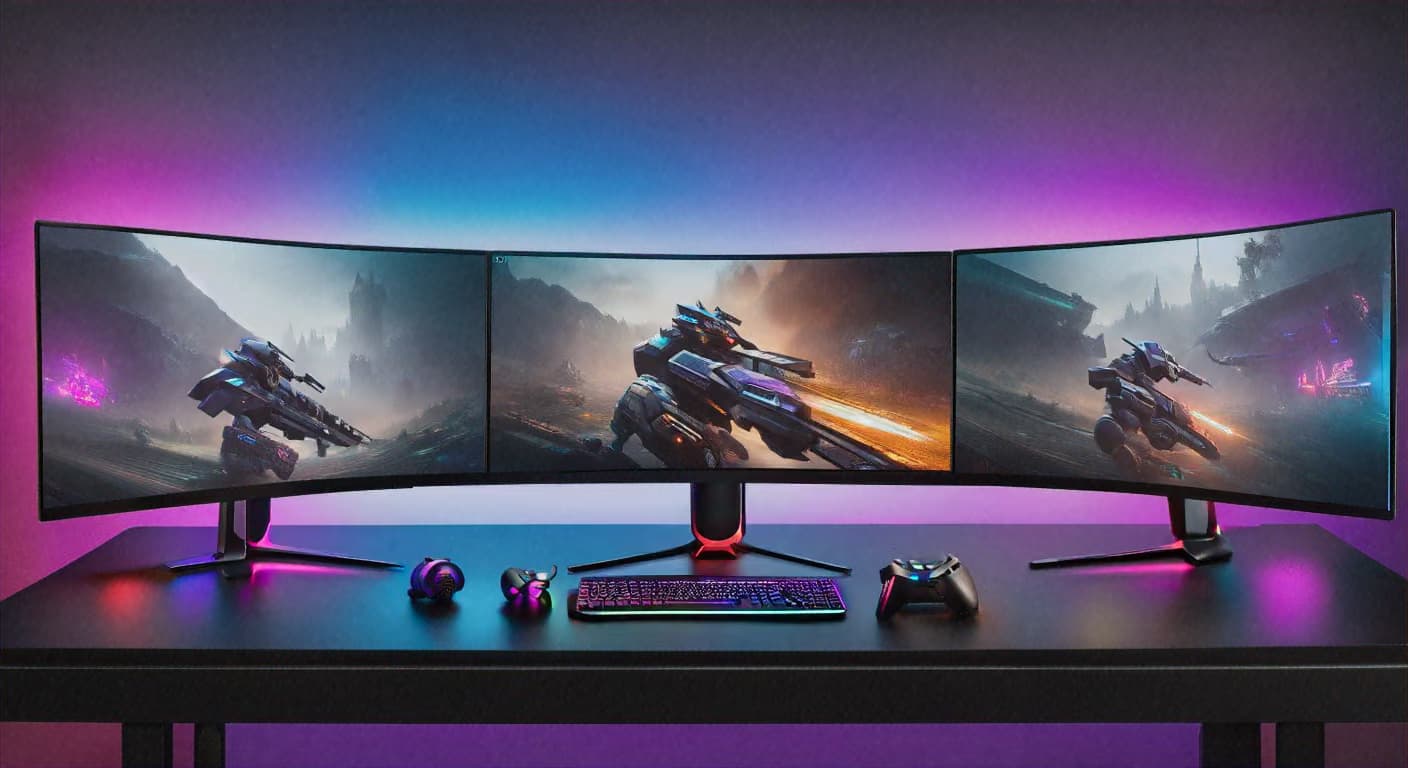
For pure competitive gaming in 2026, the Samsung Odyssey G8 is the monitor esports pros are using. It is a 27-inch 1440p VA panel running at 240Hz with 0.03ms response time. Samsung DQHD tech combined with their response time optimization makes this monitor feel like it is responding before you even click the mouse.
| Samsung Odyssey G8 \u2014 Key Specs | |
|---|---|
| Resolution | 1440p (2560\u00d71440) |
| Refresh Rate | 240Hz |
| Panel Type | VA (Quantum Dot) |
| Response Time | 0.03ms (GtG) |
| Brightness | 600 nits (peak HDR) |
| Price | $550\u2013$700 |
Why it wins: This is the monitor built for competitive shooters. 240Hz eliminates perceivable motion blur. The response time is so fast it borders on black magic. VA contrast means enemies stand out against backgrounds. If you are grinding ranked CS2 or Valorant, this is the move.
Best for: Competitive esports players, FPS enthusiasts, anyone who values response time above all else.
Pros:
- Absurdly fast response time
- 240Hz is the competitive sweet spot
- Quantum Dot panel pops visually
- Curved design reduces eye strain
- Excellent dark detail visibility
Cons:
- VA panel has narrower viewing angles
- Might be overkill if your GPU cannot hit 240fps consistently
- Slight uniformity issues common with VA panels
Best Budget Gaming Monitor Under $300: Gigabyte M32U
The Gigabyte M32U at deep discount is legitimately good. It is a 32-inch 1440p VA panel, 165Hz, 1ms response time. The larger screen size is a major upgrade from 27 inches and makes gameplay more immersive.
| Gigabyte M32U \u2014 Key Specs | |
|---|---|
| Resolution | 1440p (2560\u00d71440) |
| Refresh Rate | 165Hz |
| Panel Type | VA |
| Response Time | 1ms |
| Brightness | 350 nits |
| Size | 32 inches |
| Price | $250\u2013$350 |
Why it wins: Most 32-inch monitors cost $400+. Gigabyte undercuts them all while maintaining solid specs. Larger screen real estate at 1440p is actually the sweet spot for casual and mid-core gaming.
Best for: Budget-conscious gamers, console players, anyone upgrading from a smaller monitor.
Pros:
- Massive 32-inch screen
- 165Hz is more than enough
- VA contrast is genuinely nice
- Affordable price
- VESA mount compatible
Cons:
- Response time on entry-level overdrive can be sloppy
- VA viewing angles are poor
- Does not come with USB hub
Best OLED Gaming Monitor: LG UltraGear OLED 27GN950
In 2026, OLED gaming monitors are finally arriving at reasonable prices. The LG UltraGear 27GN950 is a 27-inch 1440p OLED panel running at 240Hz with response times measured in microseconds. Perfect blacks, zero ghosting, perfect motion clarity.
| LG UltraGear OLED 27GN950 \u2014 Key Specs | |
|---|---|
| Resolution | 1440p (2560\u00d71440) |
| Refresh Rate | 240Hz |
| Panel Type | OLED |
| Response Time | <0.1ms (instantaneous) |
| Brightness | 200 nits (typical), 800 nits (peak HDR) |
| Price | $1,100\u2013$1,400 |
Why it wins: OLED gaming monitors eliminate the final frontier of gaming monitor compromises\u2014ghosting and input lag. The response time is genuinely perfect. Blacks are actual blacks, not dark gray. If you have the budget, OLED is the future of gaming displays.
Best for: Enthusiasts who want cutting-edge tech, single-player gamers, anyone who has experienced OLED and cannot go back.
Pros:
- Perfect blacks
- Instantaneous response time
- Exceptional contrast
- Pixel-perfect clarity at 1440p
- HDR impact is genuinely breathtaking
Cons:
- Significant price premium
- Burn-in is a legitimate concern
- Brightness lower than premium LED panels
- Warranty coverage varies by region
What to Look for in a Gaming Monitor
Choosing between these options means understanding what spec actually matters for your setup and gaming style.
Refresh Rate: What Is Enough?
For competitive esports (CS2, Valorant, Overwatch 2, Fortnite): 240Hz minimum. Your GPU needs to sustain 240+ fps. If your GPU is older (RTX 4070 or less), step down to 165Hz.
For 1440p gaming with good graphics: 144Hz to 165Hz is the practical ceiling. Going higher requires RTX 5080 or better and games actually optimized for the frame rates.
For 4K or ultrawide: 120Hz to 144Hz is the realistic target. Your GPU will determine whether you hit these in demanding games.
For single-player and story-driven games: 60Hz is playable (it is what console games target), but 100Hz+ makes the entire experience noticeably smoother.
Response Time: When Does It Matter?
Response time (measured in milliseconds) is how fast a pixel changes color. Modern panels advertise 1ms or faster, but here is the secret: anything under 5ms is imperceptible. The difference between 1ms and 4ms does not matter for gameplay.
What does matter:
- Overdrive setting quality. Cheap overdrive can cause overshoot (black halos around objects). ASUS and BenQ have the best tuning.
- Consistency across frame rates. Some monitors have terrible response times when frame rates dip below 100fps.
- OLED actual advantage. OLED monitors have instantaneous pixel response. You can perceive the difference between IPS (2ms) and OLED (0.01ms) in fast-panning motion.
Panel Technology: IPS vs VA vs OLED
| Feature | IPS | VA | OLED |
|---|---|---|---|
| Color Accuracy | Excellent | Good | Excellent |
| Contrast Ratio | 1000:1 | 3000:1\u20135000:1 | Infinite |
| Response Time | 1\u20134ms | 0.5\u20132ms | <0.1ms |
| Viewing Angles | Wide | Narrow | Wide |
| Best For | All-around gaming, content creation | Dark rooms, competitive FPS | Enthusiasts, single-player |
| Burn-in Risk | None | None | Yes (manageable) |
| Price Range | $250\u2013$1,400 | $250\u2013$700 | $1,100+ |
Do You Actually Need 4K for Gaming in 2026?
The short answer: No. But you might want it.
4K (3840\u00d72160) requires enormous GPU power. To maintain 100+ fps in modern AAA games at 4K, you need:
- RTX 5090 (if you want high settings)
- RTX 5080 (for medium to high settings with DLSS 4)
- RTX 5070 Ti (for medium settings with aggressive upscaling)
For most gamers, 1440p is the perfect resolution in 2026:
- Crisp, clear image quality
- Scales nicely to 27 to 32 inches
- Achievable frame rates with RTX 5070 or RTX 4080
- Less demanding than 4K, less blurry than 1080p
When 4K makes sense: You own a top-tier GPU, you play single-player games where you do not need 144+ fps, you do content creation, or you game at 32 inches or larger where pixel density matters.
When 1440p is the right choice: Your GPU is RTX 5070 or similar, you care about competitive frame rates, you want the best price-to-performance ratio, or you play a mix of AAA and esports titles.
Upgrade Your Entire Gaming Setup
A great monitor is just one piece of the puzzle. If you are serious about gaming performance, pair your new display with the right peripherals. Check out our best gaming chairs for 2026 to make sure you are comfortable during those long sessions. Browse our full gear reviews for tested recommendations on keyboards, mice, and headsets. For game-specific tips and walkthroughs, visit our game guides, and check out the best horror movies on Netflix section, and Roblox players should bookmark our Roblox guides hub for codes and strategies updated weekly. Pair your new monitor with our picks for the best sci-fi movies streaming on Hulu right now.
Frequently Asked Questions
Conclusion: The Best Monitor for You
The gaming monitor landscape in 2026 is genuinely excellent. You can get a 240Hz 1440p IPS panel for under $400, or step up to 4K mini-LED for $1,400, or go OLED for the ultimate experience.
Here is how to choose:
- Determine your GPU power. This is your limiting factor. An RTX 5070 cannot sustain 4K 144Hz. An RTX 4070 will not hit 360Hz at 1440p.
- Decide your priority. Competitive gaming means high refresh rate (240Hz+). Single-player gaming means 4K or ultrawide. Content creation means color accuracy (IPS).
- Set your budget. $250 to $350 gets you a solid 1440p 165Hz monitor. $600 to $800 gets you either high-end 1440p or mid-tier 4K. $1,200+ opens up 4K with HDR or OLED options.
- Pick your monitor from our recommendations above.
The ASUS ROG Swift PG27AQXG remains the best all-around gaming monitor for 2026\u2014it balances frame rate, color accuracy, and price. But if budget is the concern, the Dell S2721DGF at $300 is the best value on the market. And if you are willing to spend, the LG UltraGear OLED 27GN950 is legitimately the future of gaming displays.
Whatever you choose, you are picking between genuinely good options. The monitors we have reviewed here will serve you well for the next three to five years. Don't forget to pair your new monitor with the right seating\u2014our gaming chair guide covers every budget tier—and complete the experience with our best gaming headsets for 2026.
Looking to round out your complete battle station? Our best gaming keyboards for 2026 guide ranks the top mechanical and Hall effect boards for competitive and casual play.