A single modern shooter can swallow more than 200 GB once the campaign, the multiplayer client, and the high-resolution texture pack are all sitting on the drive, and a launch PS5 leaves roughly 667 GB usable after the system software takes its share. Two big installs and a couple of open-world games later, the console stops accepting downloads.
Storage is the upgrade most players postpone until a 90 GB patch stalls at 3 percent with nowhere to go, which is the worst possible moment to start reading spec sheets. That said, the decision is simpler than the marketing around it suggests, and it turns on three numbers rather than the single figure printed in the largest font on the box.
Every pick below is graded on sustained write behavior, heatsink fit, and each platform's actual compatibility rules, rather than on the peak sequential speed a drive can hold for four seconds. Here's what matters, what doesn't, and which drives have earned the slot.
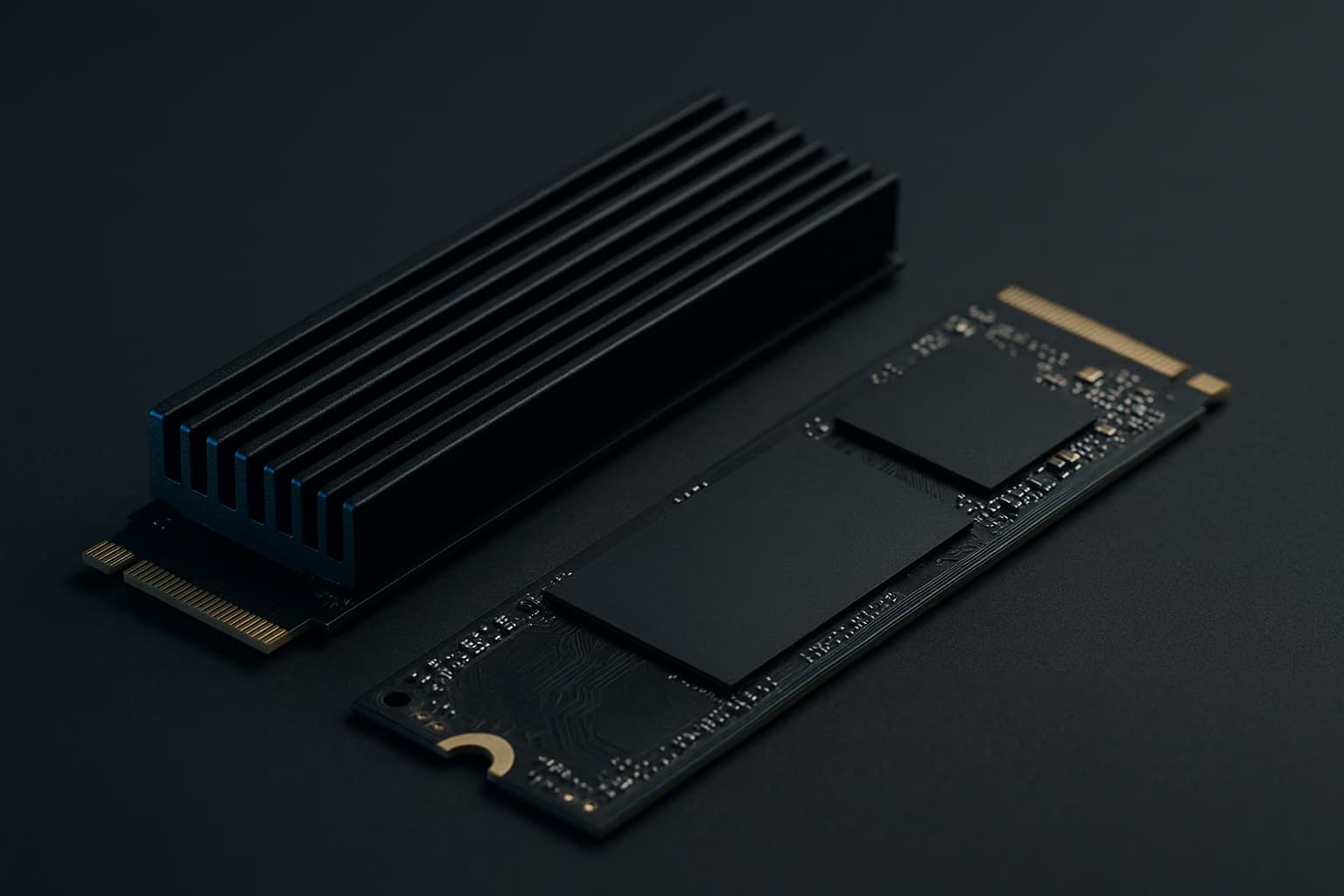
The PS5 needs an M.2 PCIe Gen4 x4 NVMe SSD with a sequential read speed of 5,500 MB/s or faster, fitted with a heatsink. Total thickness, heatsink included, must stay under 11.25 mm.
Why Game Installs Outgrew Every Console
Install sizes have grown faster than the storage shipped inside the hardware, and the culprits are uncompressed audio, 4K texture assets, and publishers bundling every language pack into one download. A console that felt roomy in its first year feels cramped by its third.
Deleting and re-downloading is the usual coping strategy, and it works right up until your connection becomes the bottleneck instead of your drive. If you're re-pulling 150 GB every time your friends switch games, the fix is either a faster line — our guide to the best gaming routers covers that side of it — or, more sensibly, enough storage to keep the rotation installed permanently.
Keep in mind that a full drive is also a slower drive. NAND flash needs free blocks to write into, and most SSDs begin to lose write performance once they cross roughly 80 to 90 percent capacity, which is precisely the state a too-small drive lives in.
The Three Numbers That Actually Matter
Drive marketing leads with peak sequential read, because it is the largest and least useful number available. The specs that decide how a drive feels in practice are these, in order of importance.
- Sustained write speed. Nearly every consumer NVMe drive uses a fast SLC cache that absorbs the first several dozen gigabytes of a write at full speed, then falls back to the slower native TLC or QLC speed underneath. On weak drives, that fallback rate — the one a 120 GB install actually runs at — can be 80 percent below the headline figure.
- Random read performance. Games load thousands of small assets rather than one enormous file, so 4K random read throughput, usually quoted in IOPS, tracks real load times far more closely than sequential speed does. This is also where DRAM-equipped drives separate themselves from DRAM-less ones.
- Peak sequential read. This matters mainly as a gate to clear. The PS5 asks for 5,500 MB/s or better, and once a drive is past that bar, the gap between a 7,300 MB/s drive and a 14,500 MB/s drive is largely invisible while you're playing.
All of this adds up to a simple rule. A mid-tier PCIe 4.0 drive with a deep SLC cache and a DRAM cache will feel better day to day than a headline-grabbing PCIe 5.0 drive with a shallow one.
Sustained write speed matters more than peak sequential speed. Once a drive's SLC cache fills, write rates can drop by 80 percent or more, and that slower rate is what governs large game installs and patches.
What The PS5 Actually Requires
Sony's requirements are specific, and a drive that misses any one of them will be rejected or throttled. The console takes an M.2 PCIe Gen4 x4 NVMe SSD between 250 GB and 8 TB, with a recommended sequential read speed of 5,500 MB/s or faster.
The physical constraints trip people up more often than the speed rating does. The drive has to be a supported form factor (2230, 2242, 2260, 2280, or 22110), no wider than 25 mm, and no thicker than 11.25 mm in total once the heatsink is on, with no more than 8 mm of that height sitting above the board.
Buy the factory heatsink version. Sony requires a cooling structure on any drive installed in the PS5, and pre-fitted heatsink models are built to the bay's height limit. Bolting an aftermarket cooler onto a bare drive is the fastest route to an expansion cover that will not close.
A PCIe 5.0 drive will physically work in a PS5, because the interface is backward compatible and the drive simply negotiates down to Gen4 speeds. However, you gain nothing for the extra money, and Gen5 models tend to ship with tall, aggressive heatsinks that were never designed to fit the bay.
Xbox Series X And Series S: The Expansion Card Rule
The Xbox rule is the one that catches people out, and it's worth stating plainly before anyone buys the wrong hardware. Microsoft's consoles do not accept an M.2 NVMe drive at all, because internal expansion runs exclusively through the proprietary Storage Expansion Card that slots into the port on the back of the console.
You cannot install an M.2 SSD in an Xbox Series X or Series S. Internal expansion requires the proprietary Storage Expansion Card, sold by Seagate and WD_Black in 512 GB, 1 TB, and 2 TB capacities.
Note that this market is no longer a monopoly. Seagate's cards were the only option at launch and priced accordingly, while WD_Black's C50 arrived later and generally undercuts them, so it pays to compare both before checking out.
Can You Just Use An External USB Drive?
An external USB SSD is cheaper than any internal upgrade, and it does have a legitimate role on both consoles — provided you understand the limitation. Current-generation titles will not run from USB storage on either platform.
External USB drives can store PS5 and Xbox Series X games but cannot run them. They do play PS4 and backward-compatible Xbox titles directly, and moving a game back to internal storage beats re-downloading it.
What a USB drive does well is act as a cold shelf. Moving a 150 GB game back from USB to internal storage takes a few minutes rather than the hour or more a re-download costs, which is a real saving if your rotation is larger than your internal drive.
Be aware that PS4 games and backward-compatible Xbox One, 360, and original Xbox titles play directly off USB with no meaningful penalty. If most of your backlog is last-gen, an external drive may be all you need.
Is PCIe 5.0 Worth It On PC Yet?
Gen5 drives are genuinely spectacular inside a benchmark window, with rated sequential reads reaching roughly 14,000 MB/s and beyond on top-tier models like the Crucial T705 and the Samsung 9100 Pro. In games, the payoff is far smaller than that gap suggests.
The reason is that game loading is rarely limited by raw drive bandwidth anymore. It is limited by asset decompression, engine initialization, and shader compilation — which is exactly what DirectStorage and GPU decompression were built to unblock, and adoption across shipped titles remains thin.
PCIe 5.0 SSDs are not worth the premium for gaming alone. Load-time gains over a good PCIe 4.0 drive are typically a second or less, because loading is bound by decompression rather than drive bandwidth.
Gen5 does earn its keep for creators moving very large files, such as 8K video ingest or a scratch disk for long recording sessions. If that's your workload, our rundown of the best capture cards pairs naturally with a fast Gen5 drive; if you only play games, put the difference into capacity instead.
Heatsinks: When You Need One, When You Don't
Heat is not a cosmetic concern on modern drives, because NVMe controllers throttle when they get hot and a throttled drive writes at a fraction of its rated speed. Gen5 controllers in particular run hot enough that most ship with substantial coolers, and a few early models arrived with fans attached.
Whether you need to buy a heatsink depends entirely on where the drive is going. Here's how the platforms differ.
| Platform | Heatsink needed? | Constraint to watch |
|---|---|---|
| PS5 | Yes — required | Total height under 11.25 mm; buy the factory heatsink SKU |
| Desktop PC | Usually already supplied | Most modern boards include M.2 covers; do not double up |
| Xbox Series X|S | Not applicable | Expansion card only — no M.2 slot exists |
| Handheld or laptop | No — avoid | 2230 or 2242 size, low power draw; a heatsink will not fit |
On a desktop, stacking a drive's own heatsink under the motherboard's M.2 cover is a common mistake that leaves an air gap and makes cooling worse than either would alone. Use one or the other, and make sure the thermal pads make full contact.
The Picks
These are the drives worth the slot in 2026, sorted by the job they do rather than by price. Prices move weekly, so check current retail before you commit to a capacity tier.
Best Overall For PS5 — WD_Black SN850X With Heatsink (2 TB)
Rated at up to 7,300 MB/s sequential read, the SN850X clears Sony's 5,500 MB/s bar with enormous headroom and holds its write speed well into large installs. The factory heatsink version is height-correct for the expansion bay, which removes the single most common installation headache.
Best for: the player who wants one drive, one purchase, and zero compatibility research.
Best Alternative For PS5 — Samsung 990 Pro With Heatsink (2 TB / 4 TB)
Samsung rates the 990 Pro at up to 7,450 MB/s read and 6,900 MB/s write, and its random read performance sits at the top of the Gen4 class where load times are decided. The 4 TB heatsink model is the straightforward answer for anyone who keeps a large library installed rather than rotating it.
Best for: big libraries and players who never want to uninstall anything again.
Best Value PCIe 4.0 — Crucial T500 (2 TB)
The T500 is rated around 7,400 MB/s read at 2 TB and consistently sells below the flagship tier, which makes it the sensible middle of the market. Take the heatsink variant for a PS5, or the bare drive for a motherboard that already has a cooler.
Best for: stretching the budget without dropping into DRAM-less territory.
Best Sustained Write — Seagate FireCuda 530 Series
The FireCuda line has long been the endurance pick, with terabytes-written ratings well above the class average and write speeds that hold up under long, punishing transfers. If you routinely move 100 GB-plus files rather than just installing games, this is the drive that is still fast at the end of the copy.
Best for: creators, hoarders, and anyone whose drive spends its life near full.
Best PCIe 5.0 — Crucial T705 Or Samsung 9100 Pro
Both sit at the top of the Gen5 stack with rated sequential reads in the 14,000 MB/s range, and both need serious cooling to sustain it. They belong in a desktop with a Gen5-capable M.2 slot and a real large-file workload — not in a PS5, and not in a build where that money would do more good on a higher-refresh gaming monitor.
Best for: content workloads and PC builders who want the ceiling.
Best For Handhelds — WD_Black SN770M (2230, 1 TB / 2 TB)
Handhelds take a 2230-size drive, and the SN770M is the standard upgrade because it delivers roughly 5,000 MB/s-class read speeds without the power draw that ruins battery life. Anyone weighing a storage upgrade against buying a newer device should read our breakdown of the best handheld gaming PCs first.
Best for: Steam Deck, ROG Ally, and Legion Go owners who have run out of room.
How Much Capacity Should You Buy?
The honest answer in 2026 is 2 TB, and the reasoning is arithmetic rather than opinion. At an average of 80 to 150 GB per current-generation title, 1 TB holds roughly eight to twelve games before the juggling starts, while 2 TB comfortably carries a rotation plus the two or three enormous live-service titles that never leave the drive.
Buy 2 TB. Current-generation games average roughly 80 to 150 GB each, so 1 TB fills after eight to twelve installs, while 2 TB holds a full rotation plus the live-service titles you never uninstall.
Cost per gigabyte also improves as capacity rises, and the 2 TB tier is usually where that curve flattens out. Going to 4 TB is defensible if you never want to think about storage management again, while 8 TB is rarely worth the premium unless the drive is doing double duty for work.
Installing It Without Losing Anything
Fitting a drive into a PS5 takes about ten minutes and one Phillips screwdriver, and the console handles the rest. Here's the sequence.
- Power down completely. Shut the console off rather than leaving it in rest mode, unplug it, and give it time to cool.
- Remove the cover and the bay screw. The expansion bay sits under the removable side cover, and the single screw plus its spacer come out first.
- Seat the drive at an angle, then flatten it. The M.2 connector is keyed and only fits one way, so insert at roughly 30 degrees, press flat, and secure with the screw.
- Format when prompted. The PS5 detects the drive on the next boot, formats it, and then reports its measured read speed on screen.
- Move games, don't re-download them. Use the Storage menu to transfer installed titles from internal storage to the new drive; saves live in system storage and cloud sync, so they are untouched.
On PC, cloning is the faster route if you're replacing a boot drive, while a secondary games drive needs nothing more than a new library folder. Remember that Steam lets you add a second library location and move installed titles into it without re-downloading a single byte.
How We Ranked These
Every drive above had to clear the same four bars before it earned a place on the list.
Sustained write - the speed the drive holds after its SLC cache is exhausted, because that is the speed a 120 GB install genuinely runs at.
Thermals and fit - whether the factory heatsink is height-legal for the PS5 bay, and whether the drive throttles during a long transfer.
Compatibility - the Gen4 x4 interface, the 5,500 MB/s read floor, and the supported M.2 form factors, checked against each platform's published requirements rather than assumed.
Value per terabyte - measured at the 2 TB tier, where the cost curve flattens and where most buyers should land.
Upgrade The Rest Of The Setup
A faster drive removes one bottleneck and tends to expose the next one. Once load times are no longer what stands between you and the game, our guides to gaming desks and budget gaming laptops cover what usually deserves the next slice of the budget.
Working out where the money should go on a full build? Browse the rest of the Adellion gear guides and start with the component that is actually holding you back.
Frequently Asked Questions
Can I use a PCIe 5.0 SSD in a PS5?
Yes, but there is no reason to. A Gen5 drive negotiates down to PCIe 4.0 speeds inside the PS5, so you pay more for nothing, and most Gen5 heatsinks are too tall to fit under the expansion bay cover.
Does a PS5 SSD need a heatsink?
Yes. Sony requires a cooling structure on any M.2 drive installed in the console, and total height including the heatsink must stay under 11.25 mm. Buy the factory heatsink version rather than adding your own.
Can I install an M.2 SSD in an Xbox Series X?
No. The Series X and Series S have no internal M.2 slot, so expansion runs through the proprietary Storage Expansion Card from Seagate or WD_Black, available in 512 GB, 1 TB, and 2 TB capacities.
Will a faster SSD actually reduce game load times?
Against a hard drive or a SATA SSD, dramatically. Between two good NVMe drives, the difference is usually a second or less, because loading is bound by asset decompression and engine work rather than drive bandwidth.
Is 1 TB enough storage for a gaming SSD in 2026?
It is tight. Current-generation games average roughly 80 to 150 GB, so 1 TB fills after eight to twelve installs, and drives slow down as they approach full. 2 TB is the sweet spot for most players.
Do DRAM-less SSDs work in a PS5?
They can, provided they meet Sony's 5,500 MB/s read requirement. However, DRAM-less drives lean on the host memory buffer and slow down more sharply on sustained writes, which shows up during large installs and transfers.