You probably still picture virtual reality as a party trick — a plastic visor you borrow for ten minutes, wave your arms around in, then hand back with a mild headache. That reputation was fair a few years ago, back when every headset needed a wall of sensors and a four-figure gaming rig just to boot.
However, the headsets shipping in 2026 have quietly outgrown the demo booth. Standalone units now run full games with no PC attached, and the tethered rigs are sharp enough to read a menu across a virtual room.
We spent time with the current lineup across both categories — the all-in-one standalones you can pick up and play, and the PC-tethered headsets built for people who already own a capable gaming machine. Here is where each one actually earns its place, and where it does not.
Which VR headset should you buy in 2026?
For most people the Meta Quest 3 is the best pick — it plays standalone and tethers to a PC. Budget buyers want the Quest 3S and PC purists want the Bigscreen Beyond 2, while Valve Index fans now have a successor in the Steam Frame, which we have not tested yet.
How We Ranked These Headsets
We judged every headset on five things: display clarity, comfort over a long session, tracking accuracy, the size and quality of its game library, and what you actually get for the money. A headset that scores brilliantly on optics but bruises your cheekbones after thirty minutes does not win.
We also split the field by how you use it, because "best VR headset" means something different to a Roblox-and-Beat-Saber player than it does to a sim-racing enthusiast with a tower under the desk. Standalone and PC-tethered are really two separate races, so we ranked them separately.
VR Headsets 2026 At A Glance
Before the detailed verdicts, here is the whole field side by side. Use it to narrow the list, then read the section that matches how you plan to play.
| Headset | Type | Display | Standout | Best for |
|---|---|---|---|---|
| Meta Quest 3 | Standalone + PC | Dual LCD, pancake lenses | Color passthrough mixed reality | Most people |
| Meta Quest 3S | Standalone + PC | Dual LCD, Fresnel lenses | Same chip as Quest 3, lower price | Budget buyers |
| Apple Vision Pro | Standalone | Dual micro-OLED | Among the highest-resolution displays available | Apple ecosystem, productivity |
| Pico 4 Ultra | Standalone | Dual LCD, pancake lenses | Quest alternative where sold | Buyers outside the US |
| Bigscreen Beyond 2 | PC-tethered | Dual micro-OLED | Ultra-light shell, custom-molded cushion | PC VR enthusiasts |
| Valve Index (discontinued) | PC-tethered | Dual LCD, up to 144Hz | Finger-tracking knuckle controllers | Used-market buyers with base stations |
| Valve Steam Frame | Standalone + PC streaming | Dual LCD, pancake lenses | SteamOS standalone, eye-tracked wireless streaming | Steam library owners (not yet ranked) |
| PlayStation VR2 | Console + PC | Dual OLED HDR | Eye tracking + headset haptics | PS5 owners |
Best Standalone VR Headsets
Standalone headsets are the reason VR stopped being a niche hobby, since they need nothing but the box on your face. They run their own processor, store their own games, and let a total newcomer be playing within minutes of unboxing.
Meta Quest 3 — Best Overall
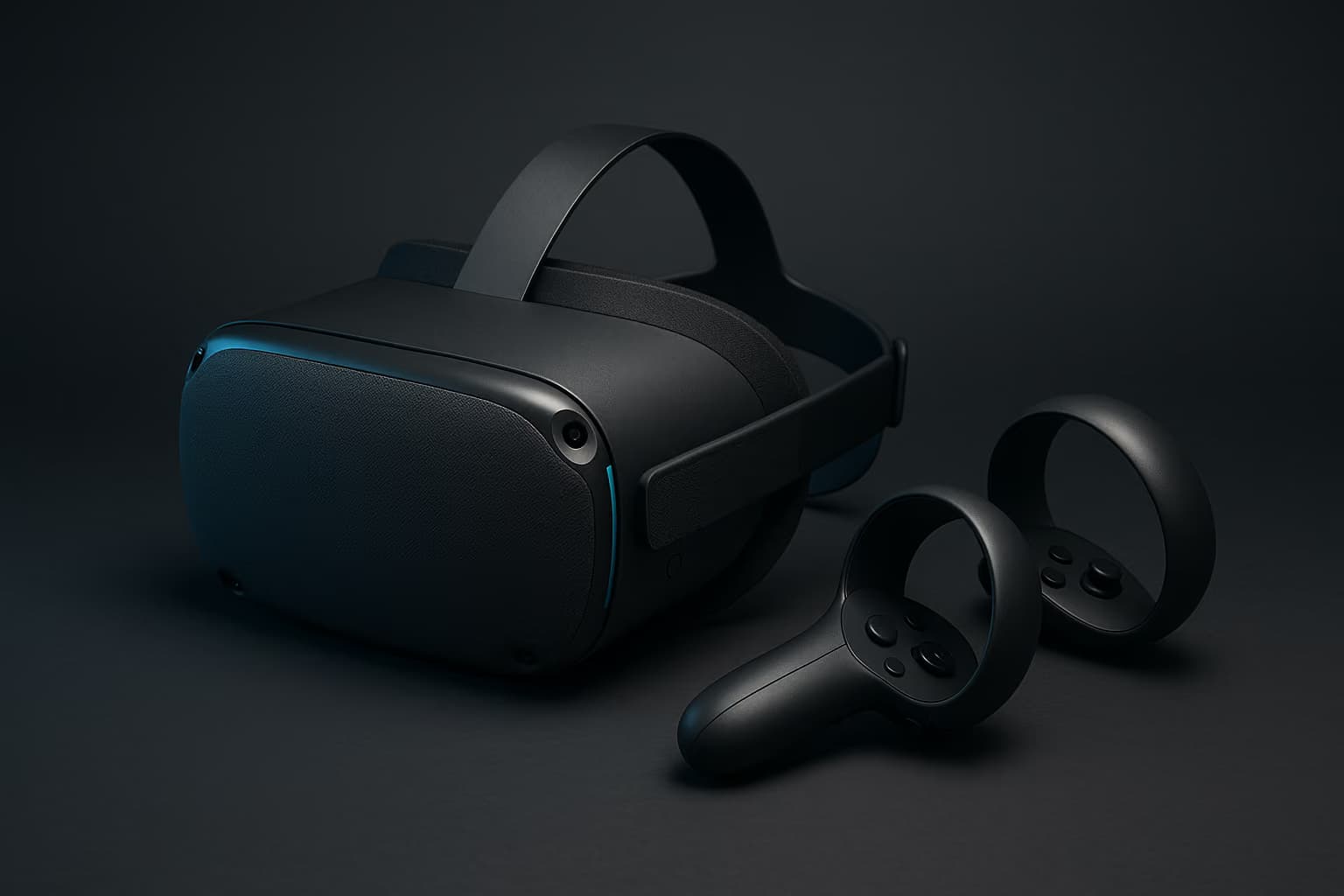
The Quest 3 is the headset we hand to anyone who asks where to start, because it does two jobs at once. It runs a deep library standalone on its Snapdragon XR2 Gen 2 chip, and it plugs into a gaming PC — over a cable or wirelessly — when you want to push heavier titles.
The pancake lenses and dual LCD panels are a genuine leap over the old Quest 2, with crisp edges and far less of the "looking through a screen door" haze. Color passthrough is good enough that mixed-reality apps feel useful rather than gimmicky.
Comfort is the one soft spot, since the stock strap presses on the forehead and most owners end up buying an aftermarket head strap. That aside, nothing else balances price, library, and flexibility this well.
Best for: anyone who wants one headset that plays everything without a PC, then scales up when they get one.
Meta Quest 3S — Best Budget Pick
The 3S is the smart entry point, and it is closer to its pricier sibling than the discount suggests. It shares the exact same Snapdragon XR2 Gen 2 processor and full-color passthrough, so it runs the identical game library at the identical performance.
The compromises are optical, since it uses older Fresnel lenses and lower-resolution panels instead of the Quest 3's pancake stack, so text and distant detail look softer. For a first headset or a gift, that trade is easy to live with.
What's the best budget VR headset?
The Meta Quest 3S. It runs the same chip, tracking, and full game library as the Quest 3, giving up only the sharper pancake lenses and higher resolution for a much lower price.
Best for: newcomers, younger players, and anyone testing whether VR sticks before spending more.
Apple Vision Pro — The Premium Outlier
The Vision Pro is the most technically impressive headset here, and also the hardest to recommend to a gamer. Its dual micro-OLED displays pack one of the sharpest images on the market, and eye-plus-hand tracking makes navigating visionOS feel close to magic.
The problem is that it was not built as a games machine. It ships without controllers, leans on streamed and Apple Arcade titles rather than native VR, and costs several times what a Quest does.
Is the Apple Vision Pro worth it for gaming?
Not for most players. The display is gorgeous, but it ships with no controllers and a thin native VR library, so dedicated gamers get far more from a Meta Quest 3.
Best for: deep-in-Apple users who want spatial computing and video first, and games a distant second.
Pico 4 Ultra — The Import Alternative
Where it is officially sold, the Pico 4 Ultra is the closest standalone rival to the Quest line, with the same class of Snapdragon chip and comfortable pancake optics. It is a genuinely good headset that mostly loses on software ecosystem rather than hardware.
The catch for many readers is availability, since it is not officially sold in the United States and its store is thinner than Meta's. If you are outside the US and want an alternative to Meta, it belongs on your shortlist.
Best for: buyers in supported regions who want a Quest-class standalone without buying into Meta.
Across the standalone field, the pattern is simple: the two Meta headsets win on library and value, the Vision Pro wins on raw display at a luxury price, and the Pico is a strong regional alternative. If you want to play the moment you unbox, this is your category.
Best PC-Tethered VR Headsets
Tethered headsets trade the convenience of all-in-one for a ceiling that standalone chips cannot reach. Driven by a real gaming PC, they deliver higher resolutions, steadier frame rates, and the demanding sim, flight, and horror titles that never come to mobile hardware.
They also demand more of you — base stations, cables, and a capable rig — so they suit players who already live at a desk. Here are the two worth the setup in 2026, along with what has changed for the Valve Index and what we know so far about its successor.
Bigscreen Beyond 2 — Best For Enthusiasts
The Beyond 2 is the headset PC VR obsessives have wanted for years, built around dual micro-OLED panels in a shell that weighs roughly 107 grams before the strap and face cushion go on. The original Beyond set the template: astonishingly small and light, it disappeared on your head in a way no mainstream headset managed.
The second-generation model replaced the original Beyond in 2025, bringing per-eye adjustable IPD and wider, clearer lenses, while the pricier Beyond 2e adds eye tracking. The face cushion is still custom-molded from a scan of your face by default, although the optional Halo Mount removes that requirement.
The Beyond 2's single-minded design comes with sharp edges, since it needs SteamVR base stations and controllers bought separately, and it has no standalone mode at all. This is a specialist tool, not a first headset.
Best for: committed SteamVR users chasing the lightest, sharpest tethered image available.
Valve Index — Discontinued, And Still The Benchmark For Hands
Valve confirmed in November 2025 that it is no longer manufacturing the Index, so the used market is now the realistic way to buy one.
That said, the hardware still sets the standard for controllers and tracking. Its knuckle controllers strap to your hands and read individual fingers, and Lighthouse tracking remains the most rock-solid in the business.
The displays show their age at 1440x1600 per eye, well short of newer panels, though the buttery 144Hz refresh rate stays lovely for fast games. Keep in mind that buying a discontinued headset used means no retail warranty, so it only makes sense at a real discount — ideally if you already own the base stations.
Best for: SteamVR players buying used who value best-in-class controllers and tracking over the sharpest picture.
Valve Steam Frame — The Index's Successor (Not Yet Ranked)
Valve built the Steam Frame to replace the Index, and it takes a different route. On paper, it's a standalone SteamOS device with dual 2160x2160 LCD panels behind pancake lenses, inside-out tracking that needs no base stations, and a Snapdragon 8 Gen 3 chip with 16GB of memory.
What's more, a bundled Wi-Fi 6E adapter streams games from your PC wirelessly, and eye tracking sends the sharpest part of that stream to wherever you are looking. Controllers come in the box, and Valve lists refresh rates of 72 to 120Hz.
Valve opened a reservation lottery in September 2026 at $1,059 for the 256GB model and $1,299 for 1TB, with the first purchase invitations expected on September 18. Because units have yet to reach buyers, we have not tested the Steam Frame — the specs above are Valve's published figures, and it is not part of this ranking yet.
Best for: on paper, Index owners and Steam library regulars who want wireless PC VR without base stations — we have not tested it yet.
PlayStation VR2 — Best For PS5 Owners (And PC, With A Catch)
For anyone who already owns a PS5, the PSVR2 is the easiest high-end VR win, with OLED HDR panels, eye tracking, and a headset that rumbles for immersion. A single cable into the console and you are playing, with no base stations required.
Sony's official PC adapter opened the headset up to SteamVR, which sounds like the best of both worlds until you read the fine print. On PC you keep the gorgeous OLED display but lose eye tracking, headset haptics, and adaptive triggers.
Can PlayStation VR2 be used on a PC?
Yes, with Sony's official PC adapter and SteamVR. You keep the OLED display but lose eye tracking, headset haptics, and adaptive triggers, so it works best as a PS5 headset first.
Best for: PS5 owners who want console-simple, high-end OLED VR.
The tethered field now splits cleanly: the Beyond 2 for the lightest, sharpest image, and the PSVR2 for the easiest OLED entry, while the discontinued Index gives way to the Steam Frame, which we have yet to test. Both current picks assume you already have the machine to feed them.
Standalone vs PC-Tethered: Which Path Fits You?
The honest answer is that most people should start standalone and only tether if they hit its limits. A Quest 3 does the vast majority of what a newcomer wants with none of the setup tax, and it can still borrow your PC's muscle later over a wireless link.
Tethered makes sense when you have specific, demanding goals — cockpit sim racing, flight sims, or high-fidelity modded experiences — and a rig strong enough to run them. If that is not you, the cables and base stations are cost and clutter you will not use.
Is standalone or PC-tethered VR better?
Standalone is simpler and cheaper with no wires. PC-tethered delivers sharper visuals and demanding sim titles, but only if you already own a capable gaming PC to drive it.
What You Need To Run A Tethered Headset
Tethered VR asks more of your setup than a flat-screen game does, because the headset renders two high-resolution images at a high refresh rate at once. A modern discrete GPU is the floor, and one of the current-generation budget gaming laptops we cover will comfortably handle most SteamVR titles.
Wireless PC VR adds one more requirement, since streaming a headset over the air leans hard on your network. A dedicated router or a strong Wi-Fi 6 setup — the kind we break down in our gaming router guide — is the difference between crisp wireless play and a stuttering, nauseating mess.
Do you need a gaming PC for VR in 2026?
Only for tethered headsets. Standalone units like the Quest 3 and Quest 3S run games on their own chip, while tethered rigs like the Bigscreen Beyond 2 need a capable gaming PC.
Audio matters more than newcomers expect, too, because spatial sound does half the work of selling the illusion. If your headset leans on open speakers, pairing a solid set of cans from our gaming headset roundup will deepen immersion considerably.
Frequently Asked Questions
Do you need a gaming PC to use a VR headset in 2026?
No. Standalone headsets like the Meta Quest 3 and Quest 3S run games on their own built-in chip with no PC required. You only need a gaming PC for tethered headsets, or to stream demanding PC VR titles to a Quest wirelessly.
Which VR headset is best for beginners?
The Meta Quest 3 for most newcomers, or the Meta Quest 3S if the budget is tight. Both are self-contained, easy to set up, and share the same large game library, so you can be playing within minutes of opening the box.
Can the Meta Quest 3 play PC VR games?
Yes. The Quest 3 connects to a gaming PC over a Link cable or wirelessly through Air Link or Virtual Desktop, which unlocks the full SteamVR library on top of its standalone games. Wireless play needs a strong home network to stay smooth.
Is the Valve Index still worth buying in 2026?
Only used, and only at a real discount. Valve confirmed in November 2025 that it is no longer manufacturing the Index, and it opened a reservation lottery for its successor, the Steam Frame, in September 2026. The knuckle controllers and Lighthouse tracking remain best in class, but the displays are dated, so enthusiasts chasing image quality often prefer the Bigscreen Beyond 2.
What replaced the Valve Index?
The Valve Steam Frame. It is a standalone SteamOS headset with 2160x2160 per-eye LCD panels, inside-out tracking with no base stations, and wireless PC streaming over a bundled Wi-Fi 6E adapter. Valve opened a reservation lottery in September 2026, starting at $1,059, and we have not tested it yet.
Does VR still cause motion sickness?
Far less than it used to. Higher refresh rates, better tracking, and comfort options like teleport movement have made modern headsets easier on most people. Start with seated, slower experiences and build up your tolerance over short sessions.
The Bottom Line
If you buy one headset in 2026 and want the fewest regrets, make it the Meta Quest 3 — it plays everything standalone and grows with you when a PC arrives. Drop to the Quest 3S if budget is tight, and step up to the Bigscreen Beyond 2 — or watch how Valve's new Steam Frame settles in — only if you are already a committed PC VR player.
VR is finally past the point where you need to make excuses for it, and the hardware rewards a little patience with genuine wonder. If you are still weighing whether to spend on a headset or a sharper flat-screen setup first, our gaming monitor guide is a sensible companion read before you commit.
Our picks weigh display clarity, comfort over long sessions, tracking accuracy, library depth, and value — and we revisit this ranking as new headsets ship and prices shift, since VR hardware moves fast.