You have probably been told that buying a fight stick works like buying a faster mouse or a brighter monitor — plug it in, gain a few frames, climb the ladder. However, an arcade controller changes the language your hands speak, and for the first few weeks it will make you measurably worse than the pad already sitting on your desk.
That is the honest starting point, and it matters more now than it did five years ago. The category has split into three genuinely different input philosophies, each with its own learning curve, its own parts ecosystem, and — the part most buyers miss entirely — its own footnote in the tournament ruleset.
Fight sticks split into three families in 2026: lever, leverless (hitbox-style), and hybrid. All three are legal at major events, as long as SOCD is handled and one button press sends one input.
Here's what each philosophy does to your inputs, which controllers are worth your money in each camp, and how to avoid the two purchases that get returned most often. If you're still deciding whether you need dedicated hardware at all, our breakdown of the best gaming controllers for every platform covers the pad side of that question.
The Three Input Philosophies, Explained
Every fight stick on the market solves the same problem — how do you send eight directions and six to eight attack buttons to a game as fast and as repeatably as possible? The three answers differ in how they handle direction, and everything else follows from that.
Lever (The Traditional Arcade Stick)
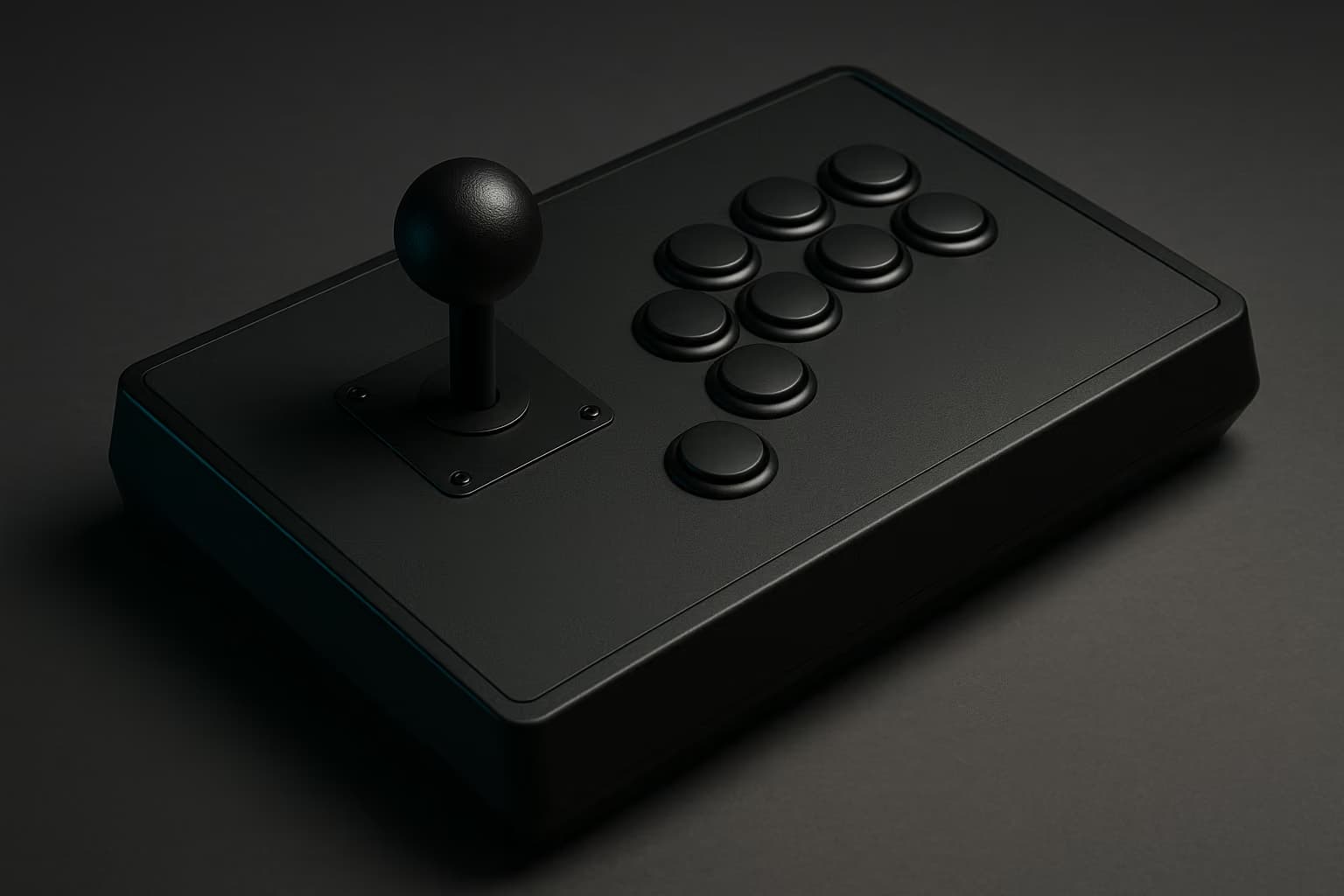
A lever stick uses a spring-loaded joystick riding inside a plastic gate, usually square and sometimes octagonal. Your directional input is a physical motion: the shaft travels, hits the gate wall, and a microswitch or optical sensor closes.
This is the input method every classic motion was designed around, which is why quarter-circles and dragon-punch inputs feel natural on it almost immediately. The tradeoff is travel time — reversing from back to forward means crossing the entire gate, and your consistency depends on how cleanly you hit the corners.
Leverless (Hitbox-Style, All Buttons)
A leverless controller replaces the joystick with four directional buttons: left, down, and right under your fingers, with up under your left thumb. Nothing rotates, and nothing travels more than a couple of millimeters.
Because directions become discrete keypresses, you get inputs that are awkward on a lever — instant back-to-forward reversals, pixel-perfect walk-stops, and clean simultaneous directions. The cost is that motion inputs turn into a rhythm exercise rather than a hand motion, and charge characters in particular require rewiring habits you have held for years.
Hybrid And Mixed Layouts
The third camp refuses to choose. Hybrid units either put a lever and a leverless cluster on the same panel, keep a lever while moving jump to a thumb button, or run a short-throw Korean lever that behaves much closer to a button than a Japanese one.
Hybrids are the smallest slice of the market and the most personal. They suit players who like a lever for movement but want a dedicated up button for instant jumps and tight air-dashes.
Lever sticks move a spring-loaded shaft inside a gate; leverless boards use four directional buttons with up on the thumb. Hybrids combine both, usually a lever for movement plus a thumb jump button.
What Tournament Legality Actually Means In 2026
This is where buyers get burned, because "is it legal?" has never been a single yes or no. The rules cluster around four issues, and every major ruleset in circulation this year addresses all four.
Here is what you will be checked on if you ever sit down at a tournament setup:
- SOCD cleaning. Simultaneous opposite cardinal directions — pressing left and right at once — has to resolve somehow. Nearly every major ruleset requires left plus right to output neutral, while up plus down resolving to up is generally permitted.
- One press, one input. Macro buttons that fire multiple attacks from a single press are banned across the board, as is any form of turbo or rapid-fire. Remapping a single button to a single different button is fine.
- Connection type. Most majors still require a wired connection at the station, largely because of interference in a room holding hundreds of wireless devices.
- Converters and adapters. Third-party converter boards are widely tolerated but not universally, and a few events restrict them because of the latency they can add.
All of these are settings or hardware facts rather than judgment calls, which is the good news — you can verify compliance before you leave the house. Rulesets have shifted twice since 2023, so read the event's published rules instead of trusting a forum post from two seasons ago.
Left plus right must resolve to neutral under most 2026 rulesets, while up plus down resolving to up is usually allowed. Turbo, rapid-fire, and multi-input macro buttons are banned everywhere.
One genuine change is worth knowing: several modern fighting games now normalize SOCD in software, so the game itself decides what left plus right means regardless of your hardware. That reduces how much your firmware setting matters in those specific titles, though the hardware default still governs everything else you play.
Ruleset details reflect the published rules in circulation as of September 2026; confirm against your own event's ruleset before you travel.
Before your first tournament: set SOCD to neutral for left plus right, disable every macro and turbo function, pack a wired cable, and bookmark the event ruleset.
Bring a screwdriver if your panel is not tool-less — a dead button in pools is a match loss, not an inconvenience.
Lever, Leverless, And Hybrid Compared
The table below summarizes the tradeoffs that actually decide which camp suits you. Read the last column first if this is your first stick.
| Philosophy | Directional speed | Learning curve | Typical weight | Best for |
|---|---|---|---|---|
| Lever | Limited by gate travel | Fast for motions, slow for precision | Roughly 2–4 kg | Traditional 2D and 3D fighters, arcade feel |
| Leverless | One keypress per direction | Slow at first, high ceiling | Roughly 0.3–1.5 kg | Movement precision, travel, wrist comfort |
| Hybrid | Mixed by design | Fastest transition from a lever | Roughly 1.5–3 kg | Lever players who want a jump button |
The Best Lever Fight Sticks
Lever sticks remain the default recommendation for anyone coming from arcade cabinets or from years of pad play on motion-heavy characters. These four are worth your attention.
- Qanba Obsidian 2. A Sanwa JLF lever, Sanwa 30 mm buttons, and a heavy base that stays put on your lap, with current-generation console licensing. Best for the player who wants the canonical arcade feel and never intends to mod anything.
- Victrix Pro FS. An aluminum chassis with a tool-less removable panel, internal cable storage, and a carry handle, built around standard Sanwa parts. Best for travel and for anyone who plans to swap parts often.
- Hori Fighting Stick Alpha. The Hayabusa lever and Kuro buttons give a shorter, snappier throw than a JLF, with tool-less access from underneath. Best for Tekken players and anyone who finds the standard Japanese lever vague at the corners.
- Mayflash F500 Elite. The entry-tier option that ships with genuine Sanwa parts and broad platform support. Best for finding out whether you like levers at all before committing to a flagship.
Any of these will outlast the game you bought it for, which is the real argument for a metal-chassis stick. Parts are consumable and replaceable; the box is not.
The Best Leverless And Hitbox-Style Controllers
Leverless is where most of the category's growth has happened, and the field now runs from open-source hobby boards up to licensed flagship hardware. Here is how it sorts out.
- Hit Box. The board that defined the layout, with SOCD handling in firmware and full-size Sanwa buttons. Best for players who want the reference implementation with no ambiguity about legality.
- Razer Kitsune. Low-profile optical linear switches in a slim aluminum body, with current-generation PlayStation licensing. Best for the flattest, fastest actuation and for players coming from a keyboard.
- Victrix Pro KO. Victrix's leverless take, sharing the Pro FS approach to chassis quality and serviceability. Best for people who want flagship build without a joystick.
- Haute42 boards. Budget leverless hardware running the open-source GP2040-CE firmware, configurable in a browser, with Hall-effect variants available. Best for the cheapest legitimate entry and for tinkerers who want SOCD modes on a menu.
- Junkfood Arcades Snack Box Micro. A compact board on low-profile switches that fits in a backpack pocket. Best for tournament travel and couch play.
Keep in mind that low-profile boards and full-size button boards feel completely different despite sharing a layout. If you already type on a low-profile mechanical gaming keyboard, the Kitsune-style switches will feel like home; if you don't, 24 mm and 30 mm arcade buttons are the safer starting point.
Leverless boards remove gate travel, so reversing direction is one keypress instead of crossing a gate. At 60 Hz polling that often rounds to under a frame — the real gain is consistency, not raw speed.
The Best Hybrid Picks
Hybrids are a smaller field, and most of them exist because a specific player wanted a specific thing. Three are worth knowing about.
- Hit Box Cross|Up. A lever and a leverless cluster on the same panel, switchable between modes. Best for players mid-transition who don't want to own two controllers, though expect to be asked which mode you're running at an event.
- Korean-lever builds. Crown and Myoungshin levers use a stiffer spring, a bat top, and almost no reliance on gate corners, which makes them behave closer to a button than a JLF does. Best for players who want lever movement with less gate slop.
- Custom mixed layouts. Boutique builders will put a lever, a thumb-up button, and a WASD-style cluster on whatever panel you ask for. Best for players who already know exactly which two inputs they want changed.
Hybrids make sense as a second or third purchase. Buy one when you can name the specific input problem it solves for you.
Switches, Buttons, And The Parts That Change How It Feels
The chassis is the part you pay for; the parts are the part you feel. Four choices do most of the work.
- Lever type. A Sanwa JLF is loose and forgiving, a Seimitsu LS-32 is stiffer with a shorter throw, and a Korean lever is stiffer still. Swapping levers costs a fraction of a new stick and changes more than any other single upgrade.
- Gate shape. Square gates are the arcade standard and give you corner feedback for charge motions, while octagonal gates make eight-direction inputs more explicit at some cost to diagonal precision.
- Button switches. Traditional 30 mm arcade buttons use a physical microswitch, while optical and Hall-effect variants remove the contact entirely and, on some boards, let you set actuation depth.
- Quick-disconnects. Snap-in buttons with spade connectors swap out in seconds with no soldering, which is the single feature that decides whether you'll actually maintain the thing.
Adjustable actuation is the live question in this category right now, since the rapid-trigger technology that reshaped keyboard gaming is appearing on leverless boards. No major ruleset bans it as of this season, but it is exactly the sort of feature that gets raised at rules meetings, so keep an eye on it.
Console Licensing Will Ruin Your Purchase If You Ignore It
Compatibility is the top reason a fight stick gets returned, and the two console families behave nothing alike. Read this section before you check out.
Xbox blocks unlicensed controllers at the hardware level, so an unlicensed stick simply will not work — there is no workaround and no timeout to wait out. PlayStation is more permissive, and many older licensed sticks still work with current-generation fighting games because the publisher chose to enable legacy controller support.
Be aware that legacy support is granted per game, not per console. A stick that works flawlessly in one fighter can be dead on arrival in the next release from the same publisher.
Xbox blocks unlicensed controllers outright. PlayStation is looser — many older licensed sticks work with current fighting games when the publisher enables legacy support, which is per title, not guaranteed.
PC is the safe harbor: essentially everything works, including open-firmware boards, and it is where most leverless players do their labbing. It is also where your hardware chain matters least, though a slow display will still eat the advantage you paid for — our guide to low-latency gaming monitors covers the other half of that equation, and gaming TVs with proper low-latency modes matter just as much if you play from a couch.
How Long Adaptation Actually Takes
Every new input method costs you rating before it pays you back, and pretending otherwise is why so many sticks end up on resale sites after a month. Budget for the dip.
In practice, most players need somewhere between two and six weeks of regular play to return to the execution level they had on a pad, and around three months before the new method clearly beats the old one. Charge characters and precise movement take the longest, because those are the habits most deeply encoded in your hands.
Expect two to six weeks to return to your previous execution level on a new input method, and roughly three months to exceed it. Your win rate drops first — that dip is the cost of admission.
The fastest path through it is deliberately boring: fifteen minutes of movement and motion drills in training mode before every session, for the first month. Pick one character and one game while you do it — our roundup of the best fighting games to play right now is a reasonable place to choose from if you're starting fresh.
One practical note has nothing to do with skill: a full-size lever stick is a large object, roughly the footprint of a laptop and heavier than most of them. Make sure whatever you play on can take it, because a wobbly surface undoes a lot of expensive engineering — which is why a stable gaming desk is worth checking before you buy the heaviest option in the category.
Open-firmware boards running GP2040-CE are the cheapest legal entry into leverless play, with SOCD modes set in a browser. Flagship sticks cost more mainly for metal chassis and console licensing.
How We'd Choose
Strip the marketing away and six criteria decide whether a fight stick was a good purchase a year later.
Input consistency — whether the same physical motion produces the same input every time, which matters far more than raw speed.
Serviceability — tool-less panels and quick-disconnects turn a dead button into a two-minute fix rather than a soldering project.
Ruleset compliance — SOCD handling you can set and verify, with no macro functions you would have to disable under pressure.
Footprint and weight — a heavy stick is stable on a lap and miserable in a backpack, and a light board is the reverse.
Parts ecosystem — standard Sanwa and Seimitsu dimensions mean you can buy replacements anywhere for the next decade.
Adaptation cost — the honest question of whether you will put in the month, because the hardware cannot do that part for you.
Fight Stick FAQ
These are the questions that come up most often from players buying their first serious controller.
Do I need a fight stick to compete seriously?
No. Multiple major titles have been won on standard pads, and no controller adds damage or frame advantage. A stick or leverless board buys consistency and comfort over long sessions, not skill.
Is a leverless controller faster than a lever?
Only slightly. Removing gate travel saves a few milliseconds, and at 60 Hz polling that usually rounds inside a single frame — the practical gain is repeatable direction changes.
Can I swap the buttons and lever myself?
Yes, on almost any stick built to standard Sanwa or Seimitsu dimensions. Snap-in buttons with spade quick-disconnects pull out by hand, and a lever swap takes a screwdriver and about ten minutes.
Are console converters allowed at tournaments?
Usually, though not universally. Some events restrict third-party converters because of the latency they can add, so check the published ruleset before you rely on one in bracket.
Which lever should I pick if I dislike the stock one?
A Sanwa JLF is loose and forgiving, a Seimitsu LS-32 is stiffer with a shorter throw, and Korean levers are stiffest with a bat top. A lever costs a small fraction of a new stick.
Will an older PS4 fight stick work on a PS5 fighting game?
Sometimes. Publishers enable legacy controller support per title, so an older licensed stick can work in one game and fail in the next — Xbox, by contrast, blocks unlicensed hardware outright.
Picking Your Camp
For a first purchase the rule of thumb holds up well: lever if you grew up on arcade cabinets or play motion-heavy characters, leverless if you value movement precision and wrist comfort, hybrid only once you own something and want a specific input fixed. All three will carry you through a bracket, so pick the one you will actually practice on.
Whichever camp you land in, set SOCD to neutral, kill the macros, and give it a full month before you judge it. When you're ready to finish the rest of the setup, our gaming headset recommendations cover the part of your rig that tells you when the punish window opened.