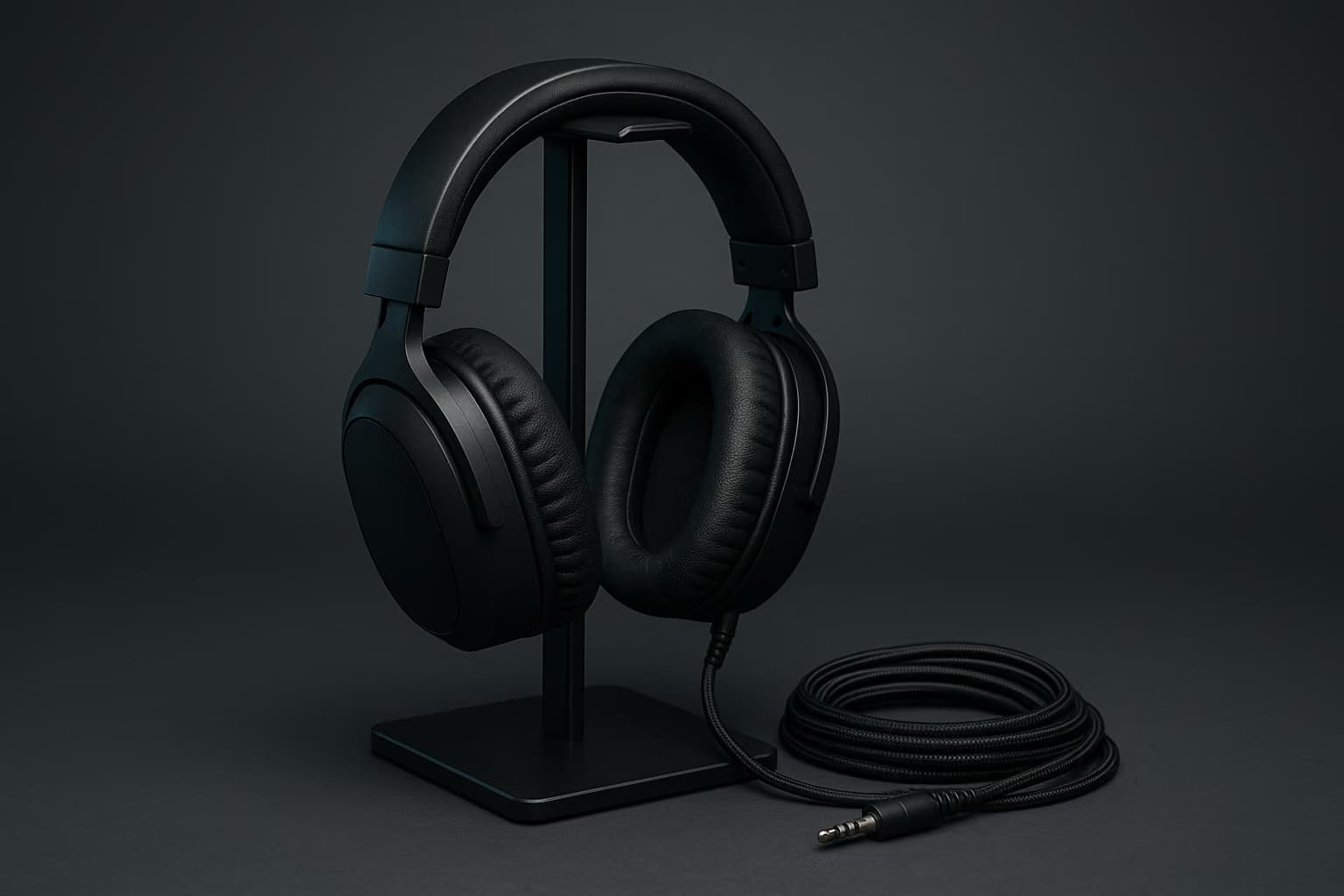
You probably think of a headset stand as a decorative hook — somewhere to park a pair of cans so they aren't flopping on the mousepad between sessions. That framing made sense when headsets were wired and a stand's only job was gravity management.
Modern wireless headsets changed the math. Once a headset has an internal battery, a stand that only holds it is a stand that lets it die, and the accessory layer underneath your desk quietly became a daily friction point rather than a cosmetic one.
We looked at charging stands, passive hangers, inline mixers, and cable routing hardware through the lens of a three-device setup — PC, console, and phone. This roundup covers what actually reduced friction, what added a failure point, and what you can skip entirely.
Do you need a charging stand or a regular headset stand? If your headset charges by contact pins or Qi, a charging stand removes the daily plug-in step. Otherwise a passive hanger does the same job for far less money.
Why The Accessory Layer Got Harder In 2026
Three things stacked up at once. Wireless headsets became the default rather than the premium option, most of them now carry a 2.4GHz dongle and Bluetooth, and the average desk grew from one source device to three.
That combination produces a specific kind of daily annoyance. You sit down, the headset is at 4%, the dongle is in the back of the tower where you can't reach it, and the cable you'd use to charge it is threaded behind a monitor arm.
Every product in this roundup is judged against that scenario rather than against a spec sheet. The question is always the same — does this remove a step from the sit-down routine, or does it just occupy desk area?
How We Picked
Stands and docks were judged against headsets of different weights, including heavy planar-magnetic pairs around 410g that punish any stand with a narrow yoke. For charging docks the question is contact reliability: whether the headset seats and charges every time, not most of the time.
For mixers, we looked at added latency and whether sidetone and chat/game balance survive a source switch. Cable management came down to one question: how much of the desk you have to tear down to change anything.
Our criteria, in the order they mattered:
- Docking reliability. A charging stand that seats correctly 55 times out of 60 is a stand that will eventually leave you at zero. Owner reports of missed seats counted as a failure, not a quirk.
- Headband stress. Narrow yokes and sharp apex curves deform memory-foam and leatherette headbands over months. We looked for a contact width of at least 40mm and a rounded apex.
- Footprint versus stability. A base wide enough not to tip is a base that eats mousepad. We weighed base diameter against tip-resistance with a heavy headset mounted.
- Recoverability. If a cable solution requires a full teardown to add one device, it fails the real-world test. Setups change more often than people plan for.
All of these fold into one question: does the accessory reduce the number of decisions you make before you start playing? That is the entire value proposition of this category.
Charging Stands: When They Earn Their Price
A charging stand is only meaningful if your headset supports contact-pin or Qi charging. Most manufacturer-branded stands are pin-based and proprietary, which means the stand is locked to the headset family you bought it for.
That lock-in is the real cost, not the sticker price. If you rotate headsets — and anyone who reads roundups like our guide to the best gaming headsets tends to rotate — a proprietary dock becomes e-waste the moment you switch brands.
Does a charging stand hurt headset battery health? Not meaningfully. Modern headsets stop drawing current at full charge, so continuous docking mostly affects long-term capacity the same way any topping-off habit does.
What To Look For In A Charging Dock
The contact-pin geometry matters more than the wattage. Pins that require precise alignment fail the sleepy-Tuesday-night test, where you drop the headset on the stand without looking and walk away.
Here's what separates a dock that works from one that frustrates:
- Magnetic self-alignment. The best docks pull the headset into position over the last few millimeters. Without magnets you are relying on your own aim, which degrades exactly when you need it most.
- A charge-state indicator you can read from a seated position. An LED on the rear of the base is functionally invisible. Front-facing or ring indicators are the ones that actually communicate.
- Pass-through for the 2.4GHz dongle. A handful of docks integrate the wireless receiver into the base, which frees a rear tower port and moves the antenna to desk height. This is the single biggest connection-quality upgrade in the category.
- USB-C input rather than a captive barrel jack. Captive cables fail at the strain point and take the whole dock with them.
Taken together, the dongle-integrated USB-C dock with magnetic alignment is the configuration worth paying for. Everything else in this class is a hanger with a premium attached.
Passive Hangers And Stands: Still The Right Answer For Most Desks
If your headset charges over USB-C and you already keep a cable at the desk, a passive stand does the same job for a fraction of the outlay. The category splits into three shapes, and the shape matters more than the brand.
Weighted-base stands sit on the desk and take up roughly a 100mm to 130mm circle. They're the most stable option and the easiest to move, but they compete with your keyboard and mousepad for prime real estate.
Under-desk clamp hangers screw or clamp to the desk edge and cost you no surface area at all. The tradeoff is that the headset hangs in your knee zone, which is fine on a deep desk and constant low-grade annoyance on a shallow one.
Monitor-mount hangers hook onto a VESA arm or the monitor's own bezel gap. They're the cheapest and the most likely to mark a bezel, so keep them to arms rather than panels — the same arm logic covered in our gaming monitors guide.
Will a headset stand stretch your headband? A stand with a contact width under 40mm or a sharp apex can deform foam over months. Wide, rounded yokes distribute the load and cause no measurable stretch.
The Contact-Width Rule
The persistent worry about stands is headband stretch, and it's half true. A stand does not stretch a headband — the headband is already under its own clamping tension and a stand holds it at rest.
What a bad stand does is compress the padding at a single narrow point. Over months that leaves a visible flat spot on memory foam, and on leatherette it accelerates cracking along the crease line.
Keep in mind that this is entirely a geometry problem, not a price problem. A $15 stand with a 45mm rounded yoke treats your headband better than a $70 stand with a 25mm metal ridge.
Inline Mixers And Audio Controllers
An inline mixer sits between your sources and your headset, and it exists to solve one problem — independent volume control for game audio, chat audio, and everything else. On a single-device setup that's a convenience, and on a three-device setup it's closer to essential.
The modern versions are USB audio interfaces with a physical control surface, which means they handle the digital-to-analog conversion themselves. That overlaps directly with the territory covered in our gaming DACs and amps guide, and buying both is usually redundant.
What A Mixer Actually Buys You
The feature list looks long, but only a few entries change how a session feels:
- Independent source faders. Four channels — game, chat, music, system — is the practical minimum. Two-channel controllers get overwhelmed the moment a second device joins the desk.
- Hardware sidetone. Mic monitoring implemented in hardware has no perceptible delay. Software sidetone routed through the OS picks up buffer latency and turns your own voice into a slap-back echo.
- A dedicated mic mute with a physical state. A button that lights up tells you your mic is off. A toggle you have to remember is how people get caught talking over a stream.
- Separate stream and headphone mixes. If you record or stream, two independent output buses let you hear something the audience doesn't. This pairs naturally with the workflows in our gaming capture software guide.
Note that a mixer only pays off if your headset accepts analog input or the mixer speaks USB to your headset's dongle. A fully proprietary 2.4GHz wireless headset often cannot be routed through a third-party mixer at all, and that compatibility check should happen before the purchase, not after.
Can you use an inline mixer with a wireless headset? Only if the headset has an analog input or its dongle passes USB audio. Fully proprietary 2.4GHz headsets usually can't be routed through a third-party mixer.
Comparing The Four Accessory Types
These four categories solve genuinely different problems, and most desks need one or two of them rather than all four. Here's how they line up:
| Accessory | Solves | Desk footprint | Best for |
|---|---|---|---|
| Charging dock | Dead-battery-at-sit-down | 100–140mm circle | Pin or Qi headsets, daily users |
| Weighted passive stand | Storage and cable drape | 100–130mm circle | USB-C headsets, deep desks |
| Under-desk clamp hanger | Storage with zero surface cost | None | Small or shallow desks |
| Inline mixer | Multi-source volume balance | 120–200mm rectangle | Multi-device and streaming setups |
The pattern is straightforward — storage problems are cheap to solve and routing problems are not. Spend where the friction is daily.
Cable Management: The Part Everybody Skips
Cable routing is the least interesting accessory category and the one that produces the largest quality-of-life delta. A three-device wireless setup carries more cables than a wired one did, because every device brings a charger and every dongle brings an extension.
The failure mode people hit is over-committing. Zip-tying a loom into a permanent bundle feels satisfying for about six weeks, and then you add a controller charger and have to cut the whole thing apart.
A Routing Approach That Survives Changes
Build for modification rather than permanence. Here's the sequence that held up across two full desk teardowns:
- Under-desk tray first. A single screw-in or clamp-on tray takes the power brick, the hub, and the surge protector off the floor. This alone removes most of the visible cable mass.
- Hook-and-loop straps, never zip ties. Reusable straps cost marginally more and let you add a device in thirty seconds. Zip ties commit you to a configuration you will change.
- One powered USB hub at desk height. Dongles, charging cables, and capture hardware all want a front-accessible port. A powered hub also prevents the brownout behavior that plagues bus-powered chains — relevant if you're running anything from our capture cards guide.
- A single desk-edge cable clip for the two cables you actually touch. Your headset charge cable and your phone cable should be reachable without looking. Everything else belongs in the tray.
- Label the bricks. A strip of tape with a device name on each power supply turns a twenty-minute identification hunt into a glance.
All of these are reversible, which is the entire point. A cable setup that assumes your desk will change is a cable setup you'll still like in a year, and it pairs with the routing channels built into most of the models in our gaming desks roundup.
Are zip ties bad for desk cable management? They work but they lock you in. Hook-and-loop straps hold just as well and let you add or remove a device without cutting the bundle apart and rebuilding it.
What To Skip Entirely
Not every product in this category is worth a line item. Three types reliably underdeliver.
RGB stands with built-in USB hubs are the most common trap. The hub is almost always unpowered and bus-limited, which means it will brown out a capture device or a charging headset at exactly the wrong moment.
Acrylic display stands are the second. They look good in a photo, they have narrow contact ridges that mark headbands, and they crack at the base joint under any lateral load.
Bluetooth-only transmitter pucks are the third. They add 100ms or more of latency in most configurations, which is fine for music and disqualifying for anything competitive — the same latency logic that governs choices in our gaming controllers guide.
Building The Right Stack For Your Desk
Most people need two of these four things. The selection is driven by how your headset charges and how many sources you run.
If you have one device and a USB-C headset, buy a weighted passive stand and a cable tray and stop there. The total outlay is small and it removes every friction point you actually have.
If you have a pin-charging headset and two or more sources, a dongle-integrated charging dock plus a four-channel mixer is the combination that pays back. The dock solves the battery problem and the mixer solves the source problem, and neither one solves the other.
If your desk is shallow, start with the under-desk clamp hanger regardless of everything else. Surface area is the constraint that makes every other decision harder, and it's the cheapest one to fix.
Compatibility - Confirm your headset's charging method and whether its dongle passes standard USB audio before buying anything in the dock or mixer categories.
Geometry - Contact width of 40mm or more with a rounded apex protects the headband; the price of the stand tells you nothing about this.
Reversibility - Prefer straps over ties and modular trays over permanent looms, because your device count will change before your desk does.
Footprint - Measure your free desk area before buying a weighted base, and default to under-desk mounting when that number is tight.
Where To Go From Here
The accessory layer is worth solving because it's the part of the setup you interact with before every single session. A headset that's charged and a mic mute you can find without looking are small wins that compound daily.
If you're still choosing the headset itself, start with our gaming headsets roundup and confirm the charging method before you shop for a dock. If you're building the desk around it, the gaming desks and gaming mousepads guides cover the surface decisions that constrain everything above.
Frequently Asked Questions
How much desk space does a weighted headset stand actually need?
Most weighted bases occupy a 100mm to 130mm circle, plus clearance for the earcups. On a desk under 60cm deep, that competes directly with mousepad area, which is why clamp hangers usually win on small desks.
Is an inline mixer the same thing as a DAC?
Modern mixers include a DAC, so buying both is usually redundant. A mixer adds physical faders and multi-source routing on top; a standalone DAC focuses on conversion quality for a single source.
Does a dongle-integrated dock improve wireless connection quality?
Yes, noticeably. Moving the 2.4GHz receiver from a rear tower port to desk height clears the metal chassis out of the signal path, which is the most common cause of dropouts in wireless headset setups.
Are RGB headset stands with built-in USB hubs worth buying?
Generally no. The integrated hubs are almost always unpowered and bus-limited, so they brown out capture devices and charging headsets under load. A separate powered hub costs less and works reliably.
How much latency does a Bluetooth transmitter puck add?
Typically 100ms or more depending on codec and pairing. That is acceptable for music or video but disqualifying for competitive play, where audio cues need to land within a frame or two.
Should you leave a wireless headset docked all the time?
It is fine for most users. Headsets stop drawing current once full, so the practical downside is the same gradual capacity loss any topping-off habit produces over several years of use.