Most bad streams get diagnosed as a camera problem. The usual fix is a new webcam, and the picture that comes back looks almost identical — same grainy shadows, same washed-out skin, same flat background.
The sensor was rarely the limiting factor. Webcam sensors are small, and small sensors compensate for dim rooms by raising gain, which is exactly what produces the noise, color shift, and smeared detail viewers read as a cheap camera.
Lighting is the variable most creators fix last, usually after the mic, the capture card, and at least one camera upgrade. It also changes on-camera quality faster than anything else on the desk, so this guide covers key light output, color accuracy, softbox sizing, and green-screen options that actually fit a small room.
A key light improves on-camera quality more than a webcam upgrade in most rooms. Small sensors raise gain in dim light, and that gain is what produces the grain, color shifts, and mushy detail viewers notice.
Why Lighting Beats A Webcam Upgrade
Every camera has a native sensitivity where it looks its best, and every step above that floor trades image quality for brightness. A webcam sitting in a room lit by a monitor and a ceiling bulb is running near the top of that range constantly.
Add a properly placed key light and the camera drops back down into its clean range on its own. Skin tone separates from the background, fine detail in hair and fabric survives compression, and the encoder stops spending bitrate on noise.
That last point matters more than most creators expect. Noise is essentially random, random data compresses badly, and a noisy 1080p feed at 6,000 kbps can look worse than a clean one at 4,000 — which makes lighting a bitrate decision as much as a cosmetic one.
Software makes this worse before it makes it better. Auto-exposure hunting, aggressive noise reduction, and background blur all degrade further when the source is underlit, so fixing light upstream improves every downstream setting in your streaming and capture software.
How We Ranked These
We judged each fixture for the way a streamer actually uses it: mounted at a desk, aimed at a seated subject roughly three feet away, and dimmed to a usable level rather than run wide open. Output figures below are manufacturer-rated, and we note where rated numbers and real working brightness diverge.
Four criteria carried the most weight in the ranking. Here is what we scored:
- Usable output at working distance. Rated lumens measured at the fixture matter far less than how much light lands on your face at three feet through diffusion.
- Color accuracy. We looked for CRI or TLCI ratings of 95 or higher, since low-CRI LEDs render skin and red tones poorly no matter how you white balance.
- Dimming behavior. Cheap drivers flicker or shift hue as they dim, which shows up as banding on camera and visible color drift below roughly 30 percent output.
- Mounting and footprint. A light that cannot clamp to a desk edge or clear a monitor arm is useless in the rooms most people actually stream from.
Anything that failed on dimming behavior was cut regardless of brightness or tier. A fixture that shifts green at 20 percent output is not a fixture you can use at night, which is when most people stream.
What The Specs Actually Mean
Lighting spec sheets are written for photographers and film crews, not streamers, which is why the numbers rarely map cleanly to a desk. These are the four that decide whether a light works for you.
Lumens, Watts, And Lux
Lumens describe total light leaving the fixture, watts describe power consumed, and lux describes how much light actually reaches a surface at a stated distance. Only that last figure predicts what your camera sees.
For a single-person seated shot, roughly 800 to 1,500 lumens at three feet is the working range once you diffuse. Going brighter helps only if you have somewhere to put a larger modifier — undiffused output just makes skin shiny and shadows hard-edged.
Aim for 800 to 1,500 lumens at roughly three feet for a single-person shot. Higher output only helps if you can diffuse it, since raw brightness makes skin look harsh and shiny rather than clean.
CRI, TLCI, And Why Budget LEDs Look Off
CRI and TLCI both score how completely a light source reproduces the visible spectrum against a reference. A low-CRI LED can look perfectly white to your eye while missing large chunks of red, which is precisely where skin tone lives.
Ninety-five or higher is the practical floor for on-camera work. Below that you get sallow or ruddy skin that no white-balance adjustment fully corrects, because the missing wavelengths were never in the light to begin with.
Look for a CRI or TLCI rating of 95 or higher. Below that, budget LEDs render red and skin tones poorly, and white balancing in software cannot recover wavelengths the fixture never emitted.
Color Temperature And Mixed Rooms
Color temperature is measured in Kelvin, where roughly 3200K reads as warm tungsten and 5600K reads as neutral daylight. The number you choose matters far less than choosing one number and holding every source in the room to it.
Mixed sources are the most common cause of a face that looks green on one side and orange on the other. If you have a window you cannot black out, match your lights to daylight; if you stream at night under warm bulbs, run everything closer to 4300K.
Set every light in the room to the same color temperature, usually 5600K for daylight-matched rooms or 4300K for mixed ones. Mismatched sources are what make one side of your face read green.
Source Size Beats Source Power
The softness of a light is governed by the size of the emitting surface relative to your face, not by wattage. A bare 100W bulb is a hard light, and the same bulb behind a two-foot softbox is a flattering one.
This is why a modest COB fixture in a proper softbox outperforms a much brighter bare panel. Buy the modifier before you buy more watts.
The Best Streaming Key Lights For 2026
These are ranked by how well they serve a desk-based streamer, not by raw output. Every fixture here clears the CRI floor and dims without visible color drift.
1. Elgato Key Light — Best Overall Desk Fixture
The full-size Key Light remains the default for good reason: a rated 2,800 lumens, a 2900K to 7000K bi-color range, and an edge-lit diffusion panel large enough to soften on its own without a separate modifier. The included desk clamp and pole clear most monitors, which is the detail cheaper competitors consistently get wrong.
Control is the real selling point. Brightness and temperature adjust from the same software layer that drives the rest of an Elgato setup, so a scene change and a lighting change can live on one key.
Best for: streamers who want one fixture, no light stands, and software control over output.
2. Elgato Key Light Air — Best For Two-Light Setups
The Air steps down to a rated 1,400 lumens and a smaller panel, which sounds like a compromise until you notice that two Airs land near the cost of one full Key Light. Two smaller sources placed as key and fill produce a more dimensional face than one large frontal source ever will.
The smaller panel is less forgiving at distance, so keep it inside three feet and dim rather than pushing it back. It shares the same app control and mounting hardware as its larger sibling.
Best for: anyone building a proper key-plus-fill arrangement on a shallow desk.
3. Aputure Amaran 100d S — Best Light-Quality Upgrade
This is where streaming gear crosses into actual film lighting. You get a 100W daylight COB with CRI in the mid-90s, Bowens mount compatibility, and enough output to bounce off a ceiling or wall instead of firing directly at your face.
It needs a stand and a modifier, and it will not clamp to a desk edge. In exchange you get light that reads as genuinely cinematic rather than merely bright.
Best for: creators with floor space who want the largest visible jump in image quality.
4. Godox SL60II W — Best Budget COB
The SL60II W delivers roughly 70W of daylight COB output well below the Aputure tier, and it accepts the same Bowens-mount softboxes. Fan noise is the trade-off, and it is audible to a sensitive microphone in a quiet room.
If your mic is a dynamic on a boom arm, the fan is a non-issue. If you run a condenser, plan on placing the fixture further away, and confirm your headset and mic setup is not picking it up before you commit.
Best for: softbox-first builds where budget matters more than silence.
5. Logitech Litra Beam LX — Best Plug-And-Play
The Litra line is built around simplicity: USB-C power, physical dials, no software required, and a dual-panel design on the LX that provides a front key and a rear accent from a single fixture. Rated output sits well under the Elgato tier, which is fine at close desk range and inadequate anywhere beyond it.
Color accuracy is genuinely strong for the tier, with a TLCI rating in the mid-90s. Treat it as a webcam-distance light rather than a room light.
Best for: small desks, short throws, and anyone who would rather not run another app.
6. Nanlite PavoTube II 6C — Best Background Accent
RGB tubes are the wrong tool for a key light and the right tool for nearly everything behind you. A pair leaned behind a desk or clamped to a shelf produces the colored rim and background separation that makes a flat wall read as depth.
Battery power means no cable run across the room. Keep saturation lower than instinct suggests, since fully saturated background color clips badly at typical streaming bitrates.
Best for: background separation and color accents, never as your main light.
Softboxes And Modifiers Worth Owning
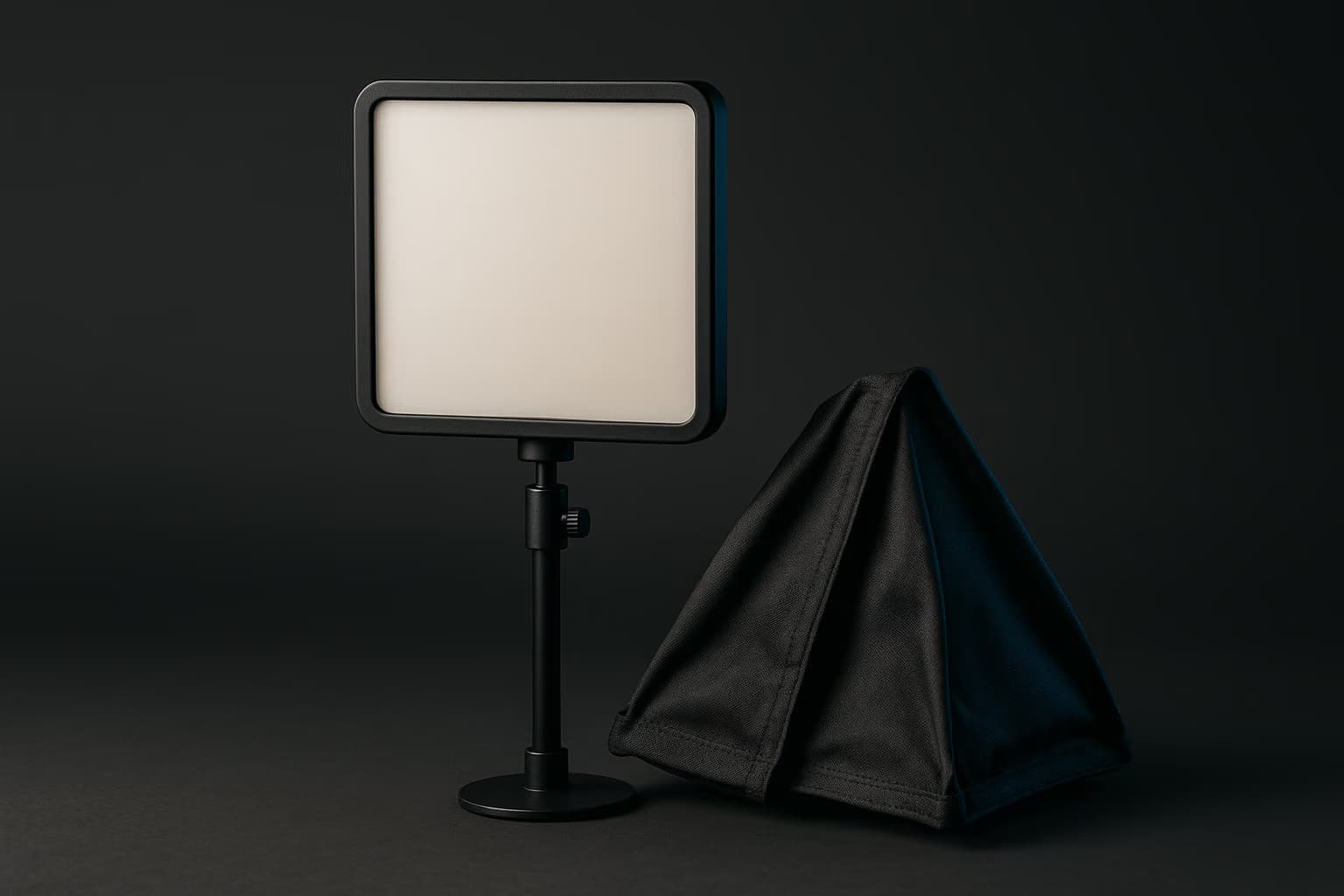
If you bought a COB fixture, the modifier is the actual purchase. A 20-by-28-inch rectangular softbox is the sweet spot for most rooms — large enough to wrap light around a face, small enough not to eclipse a monitor.
Here is what each shape does at a desk:
- Rectangular softbox, 20 by 28 inches. The default choice. It produces natural, slightly directional light and a clean rectangular catchlight in the eyes.
- Light dome or octabox, 24 inches and up. Softer and rounder falloff, but the depth eats desk clearance and it sits awkwardly beside a monitor arm.
- Strip box, 12 by 36 inches. Excellent as an edge or hair light, since the narrow shape controls spill onto the background behind you.
- Wall or ceiling bounce. Free, effectively enormous, and the softest option available — provided the surface is white rather than a colored wall that tints everything it touches.
Skip the shoot-through umbrella. It throws light in every direction, which in a small room means lighting the ceiling, the back wall, and your green screen at the same time.
Building A Three-Point Setup In A Small Room
Three-point lighting means a key, a fill, and a back or hair light, and it works in a spare bedroom as readily as in a studio. The placements just get tighter.
Start with the key at roughly 45 degrees horizontally off your camera axis and 30 to 45 degrees above eye level, angled down. That single decision does most of the work, and everything after it exists to soften what the key creates.
The fill goes on the opposite side at roughly half the key's brightness, purely to open up the shadow the key leaves behind. A white foam board or a wall bounce does this as well as a second fixture in a room this size.
The back light sits behind and above you, out of frame, aimed at your shoulders and hair. This is the light that separates you from the background, and it is the one that makes software background removal work without a screen.
Small-room shortcut: if you only have space for two fixtures, run the key at 45 degrees and put the second one behind you as a hair light. Skip the dedicated fill and bounce off a nearby white wall instead — the shadow side fills itself, and you get far more depth than a symmetrical two-light frontal setup delivers.
Desk depth is the constraint that breaks most of these arrangements. If your monitor sits tight against the wall, a deeper surface with proper cable routing solves more lighting problems than another fixture will, and our gaming desk guide covers the depth-versus-footprint tradeoff in detail.
Green Screens In 2026: What Still Works
A green screen still produces cleaner edges than any software alternative, particularly around hair, headset arms, and fast hand movement. The question is which format survives contact with a small room.
Collapsible Pull-Up Screens
These are the practical default: a spring-loaded panel that pulls up from a weighted base and drops back down in seconds. The Elgato Green Screen at roughly 58 by 71 inches covers a seated shot with room to move, and the fabric stays wrinkle-free because it is never folded.
The base occupies floor space behind your chair, which is the honest trade. Nothing else gives you a flat, tensioned surface that disappears entirely when you are done.
Desk-Mounted Screens
Desk-clamped versions such as the Elgato Green Screen MT solve the floor-space problem by mounting to the desk edge and rising behind your monitor. Coverage is narrower, so they suit a locked-off head-and-shoulders framing rather than a full-body or standing setup.
Fabric On A Stand
The cheapest path is chroma-key muslin or polyester on a crossbar stand. It works, but wrinkles are the enemy of a clean key, and fabric that ships folded needs steaming before every session unless you leave it permanently hung.
Whichever format you choose, the lighting rule does not change. Light the screen separately from yourself, evenly, with two sources from the sides — a screen lit by your key light will always key worse than one lit on its own.
Stand at least three feet from a green screen and light the screen separately from yourself. Distance kills green spill on your shoulders and hair, which is the main cause of ragged keying edges.
Green-Screen Alternatives For Small Rooms
Plenty of rooms simply cannot fit three feet of separation behind a chair. There are three workable alternatives, in descending order of quality.
The first is a lit background rather than a removed one. Two RGB tubes or a pair of bounce lights on a plain wall create depth and color that look deliberate on camera, with no keying involved at all.
The second is software segmentation paired with a proper hair light. Background removal in OBS and most webcam utilities handles a well-lit subject convincingly, and the usual failure mode — chewed-up hair edges — comes almost entirely from insufficient separation between you and the wall.
The third is committing to the real background. A shelf dressed with a few objects at varying depths, lit with one accent fixture, reads better on camera than a badly keyed green screen ever will.
Yes, you can key without a screen. Software background removal handles an evenly lit subject well, but it needs strong separation from the wall behind you, which a hair light provides.
Lighting Mistakes That Show Up On Camera
Most of what looks wrong on a stream traces back to a handful of placement errors rather than to equipment. These are the ones that recur:
- Lighting straight-on from the front. A single centered source flattens the face and erases every contour, which is the ring-light look viewers describe as clinical.
- Leaving the ceiling light on. A downward overhead source drops shadows into the eye sockets and mixes an unmatched color temperature into everything else.
- Using the monitor as fill. Screens shift color constantly with content, so anything they light on your face shifts hue along with your game.
- Running the key at full output. Most fixtures are cleanest between 40 and 80 percent, and full brightness at close range simply blows out foreheads and noses.
- Backlighting from a window. A bright window behind you forces the camera to expose for the window and abandon your face entirely.
Fix placement before you spend more. Moving an existing light 18 inches and dropping it to 60 percent output often does more than a new fixture would.
Quick Comparison
Rated specifications for the fixtures above, with the practical use case for each. Manufacturer output figures are measured at the fixture, so expect meaningfully less at three feet through diffusion.
| Fixture | Rated output | Color range | Best for |
|---|---|---|---|
| Elgato Key Light | 2,800 lumens | 2900–7000K bi-color | One-fixture desk setups |
| Elgato Key Light Air | 1,400 lumens | 2900–7000K bi-color | Paired key and fill |
| Aputure Amaran 100d S | 100W COB | 5600K daylight | Softbox and bounce work |
| Godox SL60II W | 70W COB | 5600K daylight | Budget Bowens-mount builds |
| Logitech Litra Beam LX | USB-C powered, short throw | 2700–6500K bi-color | Close-range desk lighting |
| Nanlite PavoTube II 6C | RGB tube | 2700–7500K plus RGB | Background accent only |
Prices in this category move constantly and bundle deals appear often, so check current retailer listings before committing to a tier. The ranking above holds regardless of what any of them costs in a given week.
Where Lighting Fits In The Rest Of Your Setup
Lighting is the cheapest meaningful upgrade on most streaming desks, but it sits inside a chain. A clean, well-lit source still needs adequate bitrate and a capable encoder to survive the trip to viewers.
If your image looks good locally and poor on stream, the bottleneck has moved downstream to encoding or upload. Our guides to streaming and capture software and to choosing a gaming monitor with accurate on-desk color are the next two places to look.
Frequently Asked Questions
These are the questions that come up most often once creators start fixing their lighting:
How many lights do I need to start streaming?
One. A single diffused key light at 45 degrees off-center fixes most of what is wrong with a dim setup, and you can add a hair light or background accent later once the key is placed well.
Is a ring light good for streaming?
For streaming, a softbox or panel beats a ring light. Ring lights create a distinct circular catchlight and flatten facial features, and they compete with your monitor for desk space.
What size softbox works in a small room?
A 20 by 28 inch softbox is the practical ceiling for most desks. Anything larger is softer but starts blocking your monitor, and a dome under 16 inches gives up most of the softening advantage.
Do I still need a green screen in 2026?
Only if you want the background fully replaced. Software segmentation is fine for casual streams, but a screen still wins on hard edges around hair, headsets, and fast hand movement.
Why does my green screen look patchy on camera?
Patchy keys come from uneven light on the fabric or from wrinkles casting micro-shadows. Light the screen with two sources from the sides, and steam or stretch the fabric before you go live.
Should I buy bi-color or daylight-only lights?
Bi-color if you stream at different times of day or sit near a window. Daylight-only fixtures usually deliver higher rated output and slightly better color accuracy at the same tier.
Start With The Key Light
If you take one thing from this guide, make it the order of operations: one good key light, placed at 45 degrees and diffused, before any second fixture, any green screen, or any camera upgrade. Everything after that is refinement on top of a decision you have already made correctly.
Once the light is right, the rest of the desk is worth revisiting — the capture chain, the audio, the monitor. Our gaming speakers and audio guide is a sensible next stop when you are ready to work through the piece viewers notice second.